Workflows & Approvals
Find it: Management → Workflows (Admin group); approve from Pending Approvals. Routing rules auto-assign tickets to the right workflow.
Sound familiar?
- "Who approves this critical repair before we spend the money?"
- "Every team handles escalation differently — there's no standard."
- "We want critical tickets to route themselves, not wait for someone to notice."
Ad-hoc rules break down at scale. A defined workflow makes the path predictable.
The Problem
Approval and escalation logic lives in people's heads, chat threads, or a sticky note. Critical work stalls because no one knows whose sign-off is needed. New hires have no map. Audits can't reconstruct who decided what, when.
What OpexMX Workflows Do
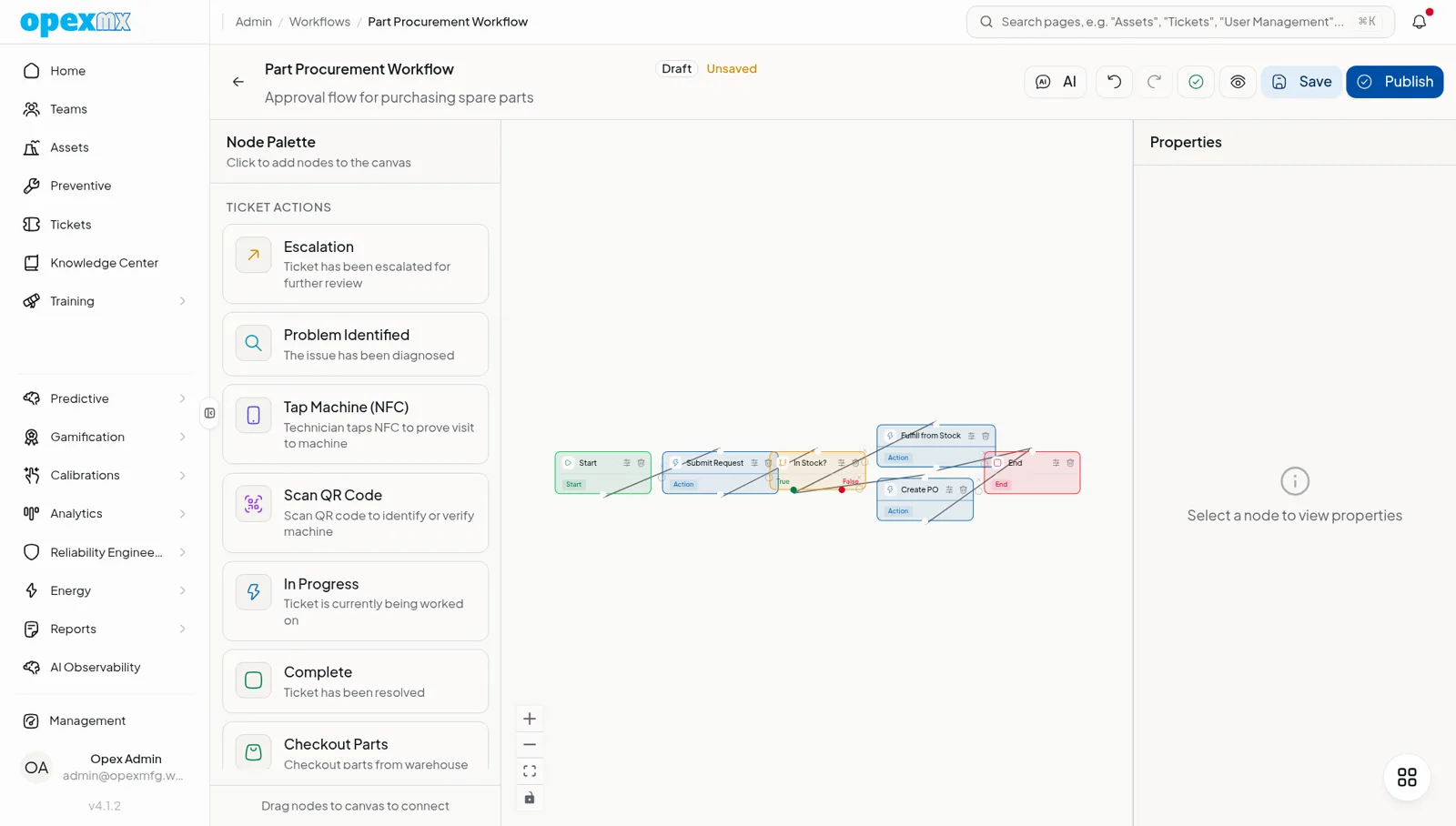
Models a maintenance ticket's lifecycle as a visual state machine — nodes and edges — so every ticket follows a defined path with the right approvals, automatically.
The Building Blocks
- Nodes:
screen,approval,condition,action(plusstart,end,timer,gateway) - Edges with conditions: branch on ticket fields using
=,≠,>,<,in,contains— the true/false path is picked automatically - Versions: snapshot, publish, clone, and validate definitions; roll back when needed
Approvals, Done Right
- Target an approver by user, by role, or broadcast to a group
- Dual control: the person who requested an approval can't approve their own request
- Approve / reject run configurable side-effects (today: notify and assign), then follow the
approvedorrejectedbranch - Optimistic concurrency prevents two approvers from deciding at once
Routing Rules
Priority-ordered rules match a ticket by type, subtype, priority, asset, or site — and auto-assign the right workflow. No manual triage for the common cases.
Pending Approvals
A single queue shows everything awaiting your decision (assigned to you, your role, or broadcast), joined to the ticket so you act in context.
AI Workflow Builder
Describe the process in plain language (optionally attach a diagram) and get a draft workflow — nodes, edges, and auto-layout — to review and publish.
How It Works
- Design the workflow on the canvas (or ask the AI builder for a first draft).
- Publish a version.
- Routing rules assign incoming tickets to the right workflow.
- The ticket advances node by node — screens filled, conditions evaluated, approvals requested.
- Approvers act from Pending Approvals; the ticket follows the approved/rejected branch.
- Every move is recorded as an auditable transaction.
Who Uses This?
| Role | What They Care About |
|---|---|
| Maintenance Managers | Standard, auditable escalation paths |
| Approvers | One queue, clear context, no self-approval |
| Planners | Auto-routing that removes manual triage |
| Auditors | A transaction trail for every decision |
Pro Tips
- Start with one high-stakes flow (e.g. critical-ticket approval) before modeling everything.
- Use routing rules for the 80% case; let humans handle the edge cases.
- Keep conditions on stable ticket fields so flows don't break when priorities change.
- Publish a new version rather than editing a live one — it's auditable and reversible.
Integrations
- Tickets: the workflow entity — every transition is ticket state
- Notifications: approvals post to the notification system with a deep link
- Approvals: a dedicated Pending Approvals queue and audit history