AI Observability
Find it: AI Observability in the sidebar — opt-in via the dev flag.
Sound familiar?
- "The AI copilot gave a weird answer. What did it actually do?"
- "Are we burning tokens on queries that go nowhere?"
- "Is the RAG retrieval actually helping, or is the model ignoring it?"
You can't improve AI you can't see.
The Problem
AI features are black boxes. When an answer is off, there's no trace of which model ran, what it retrieved, or how many tokens it burned. Costs drift, quality regresses silently, and there's no way to evaluate changes.
What OpexMX AI Observability Does
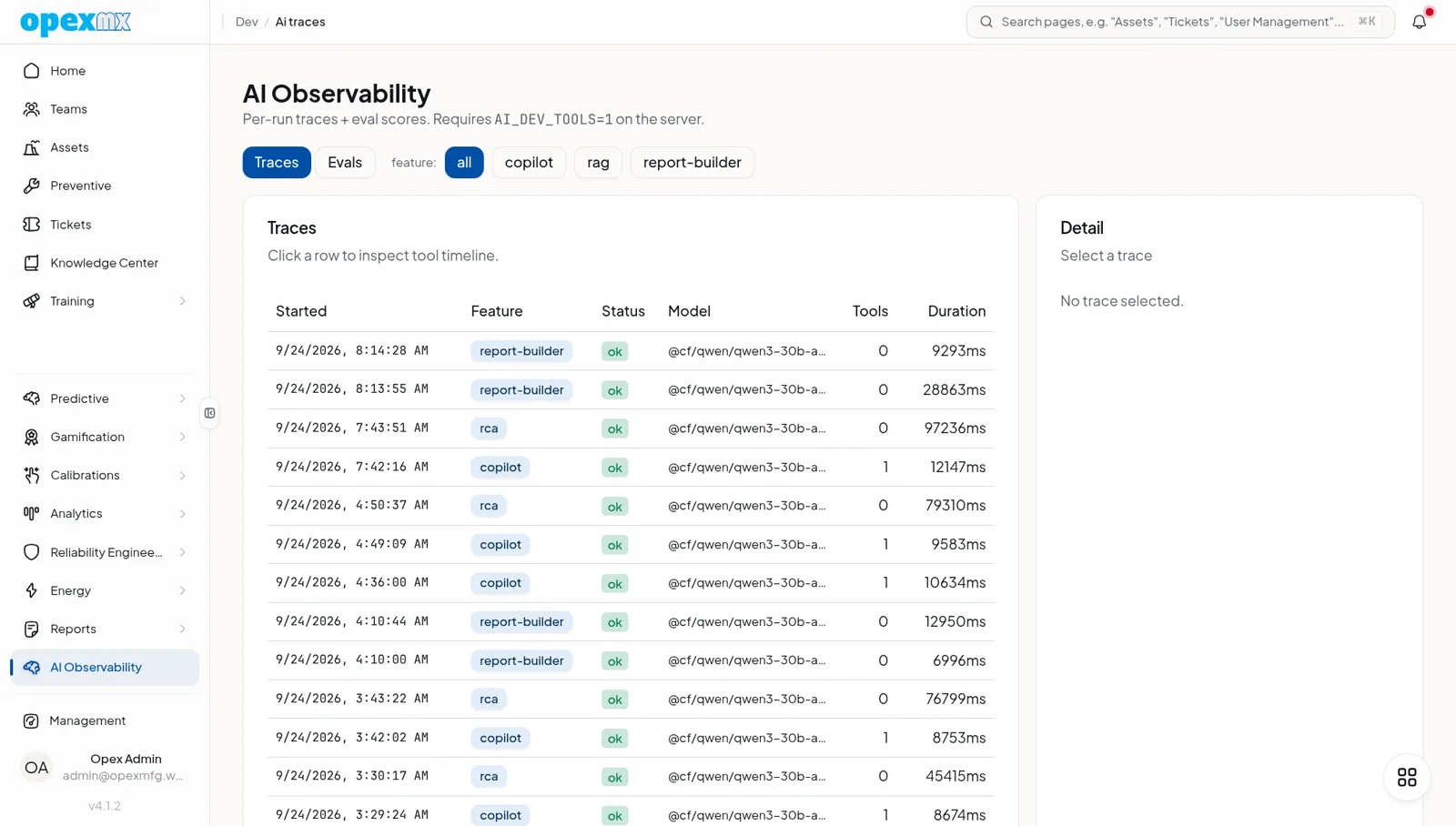
Captures a trace for every AI run — model, status, duration, rounds, tool calls (with args, timing, and result summaries), token usage, and a message snapshot — so each feature is inspectable and evaluable.
Per-Run Traces
Each agent run becomes a ai_trace row: feature, model, status, durationMs, rounds, a structured toolCalls list, tokenUsage (prompt + completion), a recent message snapshot, the response, and any error.
Automatic RAG Tagging
A run is classified by feature automatically — and re-tagged from copilot to rag when it consulted the manuals, so you can tell retrieval-backed answers apart at a glance.
Eval Pipeline
Traces double as evaluation fixtures. Score them by feature and scorer, and watch the trend across runs — so a model or prompt change is measurable, not a hunch.
Opt-In by Design
The trace viewer is off by default in every tenant — enable it with the dev flag when you want to inspect. Capture itself is best-effort and never throws into the feature using it.
How It Works
- A user triggers an AI feature (copilot, RAG, autocomplete).
- The collector accumulates spans: model call, each tool call, tokens.
- On completion, the trace flushes to storage (best-effort).
- Open the viewer (when enabled) to inspect any run.
- Score runs over time to measure quality.
Who Uses This?
| Role | What They Care About |
|---|---|
| AI / Product | What the model actually did, and why |
| Cost owners | Token spend per feature |
| Reliability | Failures, retries, slow runs |
| Eval / QA | Scoring trends across changes |
Pro Tips
- Turn the viewer on when debugging a specific bad answer, then off.
- Group traces by feature to find the noisiest, costliest path.
- Use eval runs before and after a prompt/model change — prove the delta.
- Watch token usage, not just correctness — cheap-and-right wins.
Integrations
- AI Copilot / RAG: every copilot and retrieval run is traced
- Autocomplete / fill-AI: fast-lane runs captured too
- Manuals / Knowledge Center: RAG retrieval shows up in tool-call spans