Asset Management
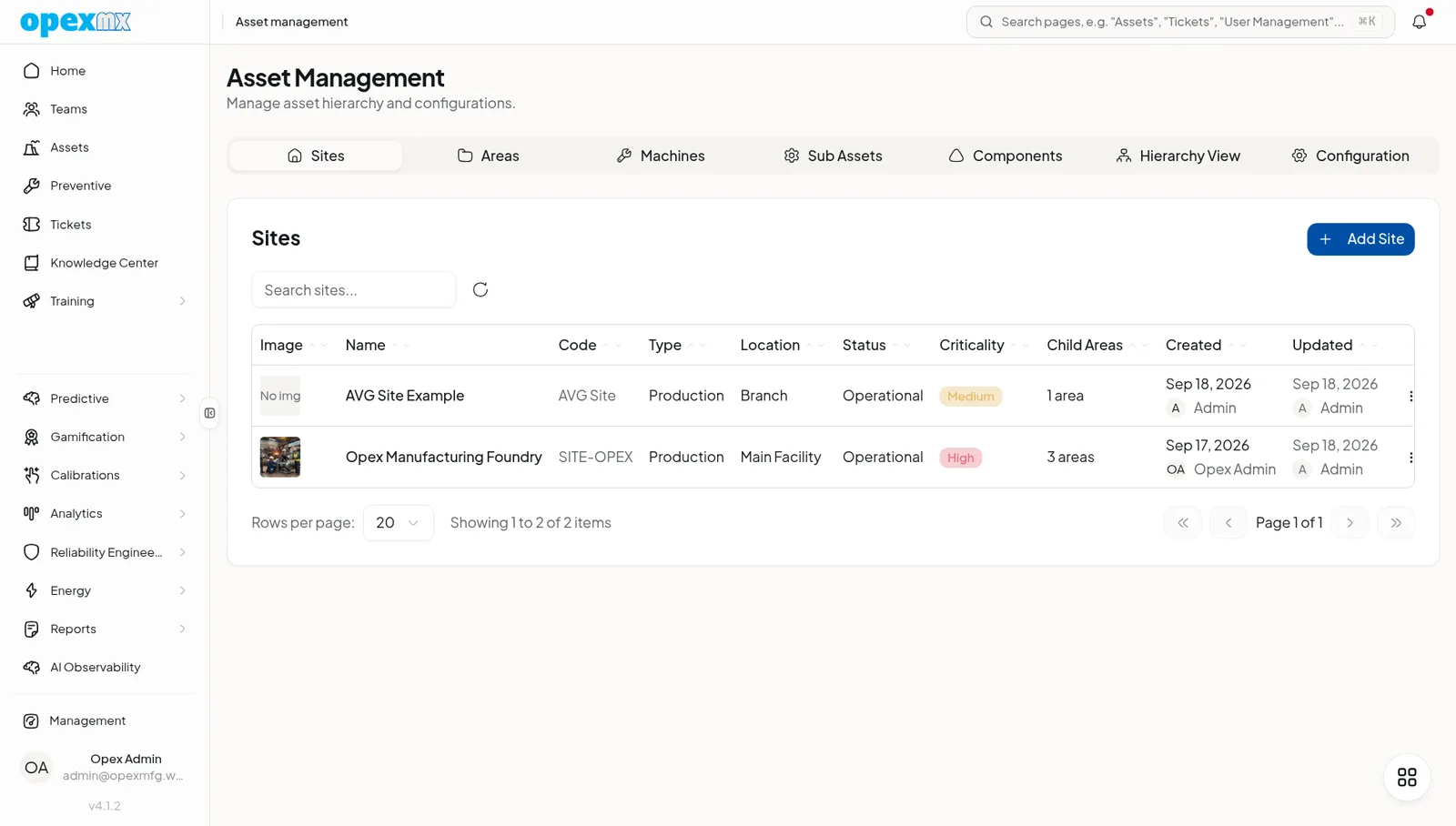
Find it: Assets in the sidebar (hierarchy view) and Management → Asset Management (Assets & Tools group).
Sound familiar?
- "Which line is that motor on? The spreadsheet says three things."
- "Was the technician actually at the machine?"
- "We manage assets per site, but the system flattens everything."
Your asset model shapes everything downstream — work, parts, analytics.
The Problem
Assets live in flat lists or fragile spreadsheets. Parent-child relationships are implied, not modeled. Verification that a technician actually touched the machine is impossible. Multi-site operations get one undifferentiated pile.
What OpexMX Asset Management Does
Models assets as a true five-level hierarchy with verification, status history, parameters, and per-site scoping.
Five-Level Hierarchy
SITE → AREA → MACHINE → SUB_ASSET → COMPONENT, linked by parentAssetId. A tree endpoint renders the whole structure; bulk insert loads it fast. Each asset carries criticality (low/medium/high), NFC tag, tag number, image, and location.
NFC Verification
Scan an asset's NFC tag against a ticket to log proof-of-presence. No more "did they actually go?" — the scan is the evidence.
Status Lifecycle
Status is more than a label. Immutable status events record every change; computed status segments aggregate durations (running, down, idle) — the basis for availability and OEE.
Parameters & Values
Attach parameters (temperature, pressure, runtime, energy) and post readings. The same parameter values feed condition monitoring, energy, and sustainability.
Equipment Types & Sites
Classify assets by equipment type (so PM templates and problems map cleanly) and scope them to sites. Users belong to sites, so each team sees its own assets.
How It Works
- Model the hierarchy — site, area, machine, sub-asset, component.
- Tag assets — NFC and tag numbers for fast, verified access.
- Track status — events feed duration segments and availability.
- Attach parameters — readings flow to monitoring and energy.
- Scope by site — teams see what's theirs.
Who Uses This?
| Role | What They Care About |
|---|---|
| Reliability | Correct hierarchy for MTBF/OEE |
| Operations | Live status and availability |
| Technicians | Find and verify the right asset |
| Multi-site Management | Clean per-site separation |
Pro Tips
- Get the hierarchy right early — everything keys off it.
- Use NFC for critical assets where proof-of-presence matters.
- Drive status from one source (PLC/event) so segments are trustworthy.
- Classify by equipment type so PMs and problems map automatically.
Integrations
- Tickets / PM: work attaches to assets, optionally scoped to descendants
- Predictive: parameters and status feed health scores
- Energy / Carbon: parameter values drive consumption and CO2e
- Parts: asset–part compatibility maps from the hierarchy