Email & Push Notifications
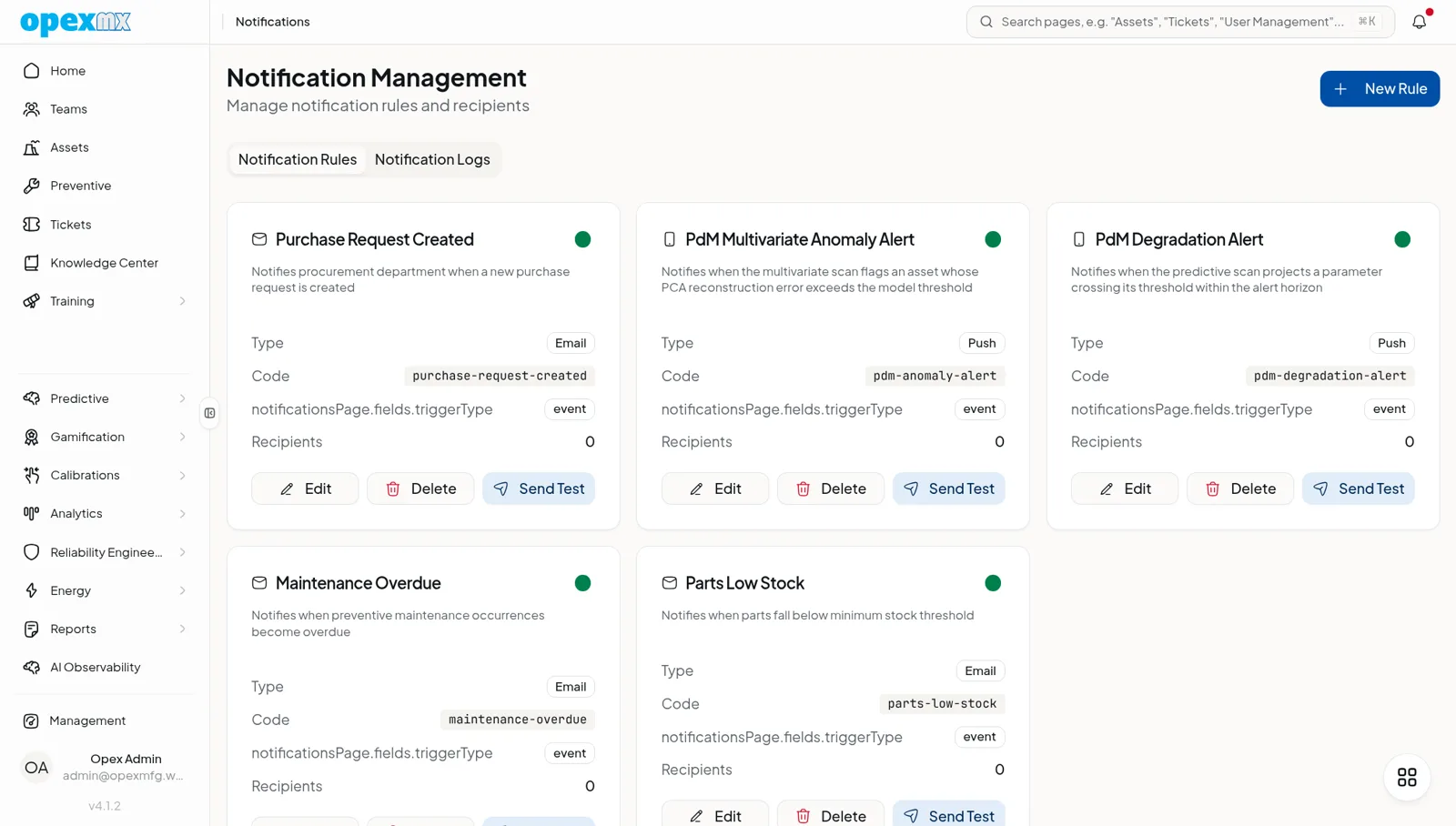
Find it: Management → Notifications (Admin group) — rules and inbox. The bell icon in the header opens your inbox.
Sound familiar?
- "Did anyone see that urgent ticket?"
- "I was on the floor — I didn't see the email until hours later."
- "Why am I finding out about this shift change tomorrow morning?"
When time matters, notifications need to cut through the noise — and reach people where they actually look: their phone and their inbox.
The Problem
Important updates get buried in inboxes. Urgent tickets sit unnoticed. Schedule changes catch people by surprise. By the time someone sees the message, it's too late.
What OpexMX Notifications Do
Routes the right message to the right person, on the right channel, the moment something happens — across email, mobile push, and an in-app inbox.
What Triggers Notifications
- Tickets — created, assigned, status change, overdue
- Approvals — purchase requests, purchase orders, change approvals
- Calibrations — upcoming and overdue
- Condition monitoring — threshold and anomaly breaches
- Training — assignment, pending-approval, completion
- Shifts — schedule publishes and swaps
Channels
| Channel | Best For |
|---|---|
| Mobile push (FCM) | Instant alerts on iOS & Android, even when the app is closed |
| Web push | Live alerts in the browser — WebSocket on-prem, Durable-Object fan-out on cloud |
| Detailed messages with context and attachments | |
| In-app inbox | Persisted notification log with unread count, read state, and history |
Rules Engine
Bind an event to recipients and channels with a configurable rule. Each rule has a built-in test action and a full delivery log; every matching event dispatches automatically.
Templates & Placeholders
Messages are built from templates with dynamic placeholders — asset, priority, due date, technician — so context stays consistent across channels.
Real Example
Scenario: A critical conveyor goes down at 2 AM.
- Ticket created with "critical" priority.
- On-call technician gets a mobile push notification instantly.
- Technician opens the ticket straight from the notification.
- The dispatch is recorded in the notification log for audit.
Who Uses This?
| Role | What They Want |
|---|---|
| Technicians | Instant push for urgent work |
| Supervisors | Visibility into team responsiveness |
| Operators | Confirmation that issues were reported |
| Management | Escalation alerts for critical issues |
Pro Tips
- Use push for urgency, email for detail.
- Set escalation paths for unacknowledged alerts.
- Cap frequency to avoid notification fatigue.
- Bundle related alerts to reduce noise.
- Put a clear call-to-action in every message.
Integrations
- Tickets: notify on creation, assignment, status, overdue
- Shift Management: alert on schedule publishes and swaps
- Calibrations: remind on due dates
- Condition Monitoring: alert on threshold and anomaly breaches
- Approvals: notify on purchase requests and change approvals
WhatsApp and SMS channels are on the roadmap. Today OpexMX delivers email, mobile push (FCM), web push, and an in-app inbox.