File Management
Find it: File Manager in the sidebar.
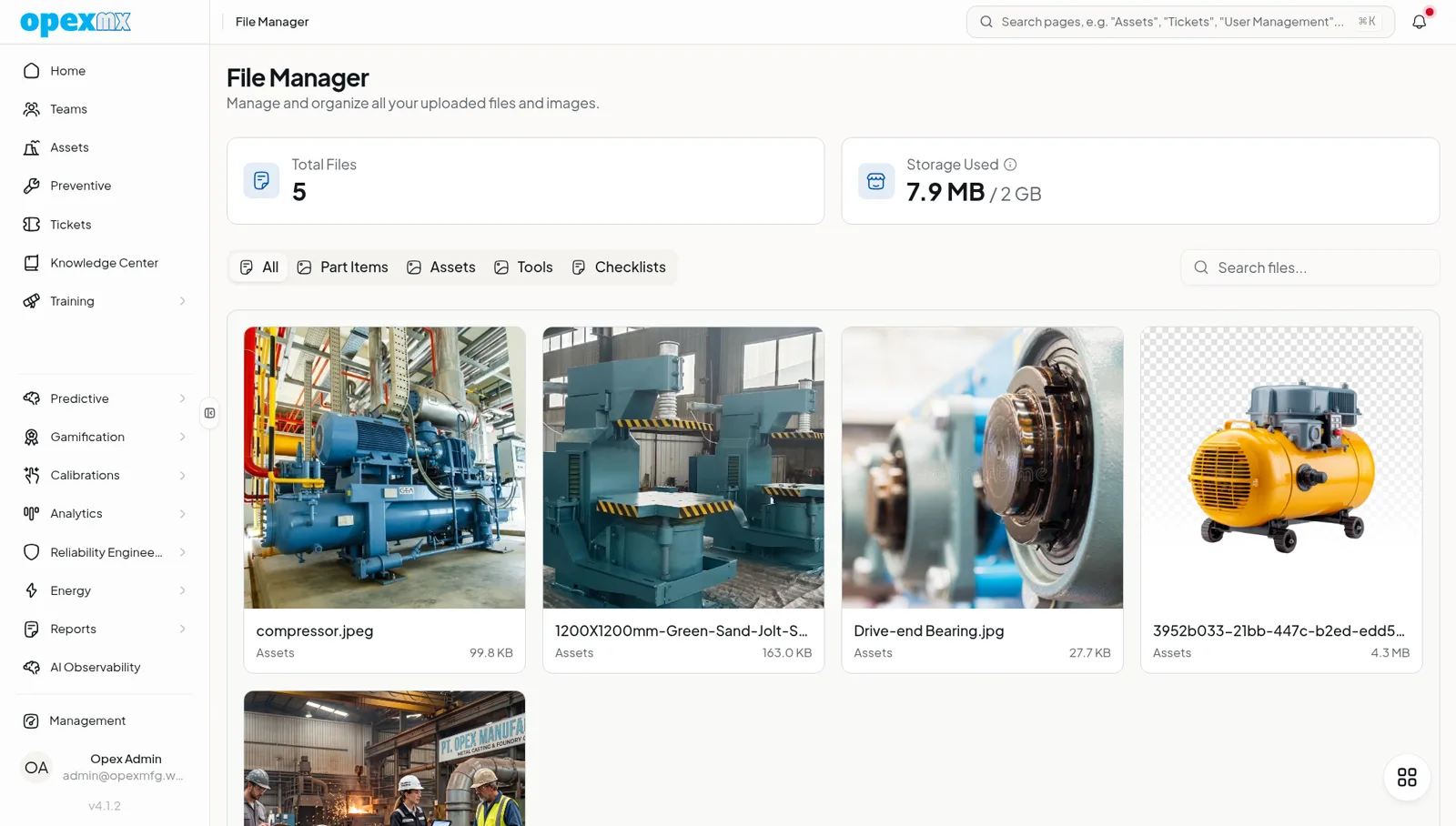
Sound familiar?
- "The manual for that machine? Check the shared drive. Or WhatsApp."
- "Which revision of the floor plan is current?"
- "The auditor wants the supplier certificate from last year."
When files live everywhere, the critical one is always missing when it matters.
The Problem
Maintenance runs on documents: manuals, wiring diagrams, floor plans, certificates, calibration reports. Scattered across shared drives, email threads, and phones, they rot. Links die, revisions diverge, and the document that proves compliance exists somewhere nobody can find it.
What OpexMX File Management Does
One library for every file the plant depends on, with each file linked to the records it belongs to.
Central Library, Real Structure
- Upload once: manuals, drawings, certificates, photos, and exports live in one searchable place
- Browse and filter: list files with filtering and pagination, plus storage stats
- Access from the record: open an asset and its manual is there; no drive spelunking
Linked to What Matters
A file gains meaning from what it is attached to. Link any file to its entity: an asset's manual, a supplier's certificate, a floor plan for the site, an image inside a report. Upload-time validation keeps certificate files honest, so the document attached to a compliance record is the right kind of file.
Proven in Daily Use
The library already carries the artifacts the rest of OpexMX produces and consumes: asset manuals behind QR/NFC scans, site floor plans for location mapping, and report images.
How It Works
- Open File Manager from the sidebar.
- Upload the file, or upload straight from the record you are editing.
- Link it to its asset, supplier, or site.
- Find it later from the library or from the linked record.
Who Uses This?
| Role | What They Care About |
|---|---|
| Technicians | The right manual, one tap from the asset |
| Compliance / QA | Certificates attached to the records they certify |
| Storeroom | Supplier documents next to the supplier |
| New hires | Tribal knowledge in files, not in one person's head |
Pro Tips
- Link at upload time; an unlinked file is a file waiting to be lost.
- Put the asset manual on every critical asset, then verify via its QR/NFC scan.
- Version by filename convention (rev, date) so the current one is obvious.
- Audit the library quarterly; remove stale files before they mislead someone.
Integrations
- Asset Management: manuals and drawings surface on asset scans
- Compliance: certificates attach to the records they support
- Report Builder: report images are stored and served from the library