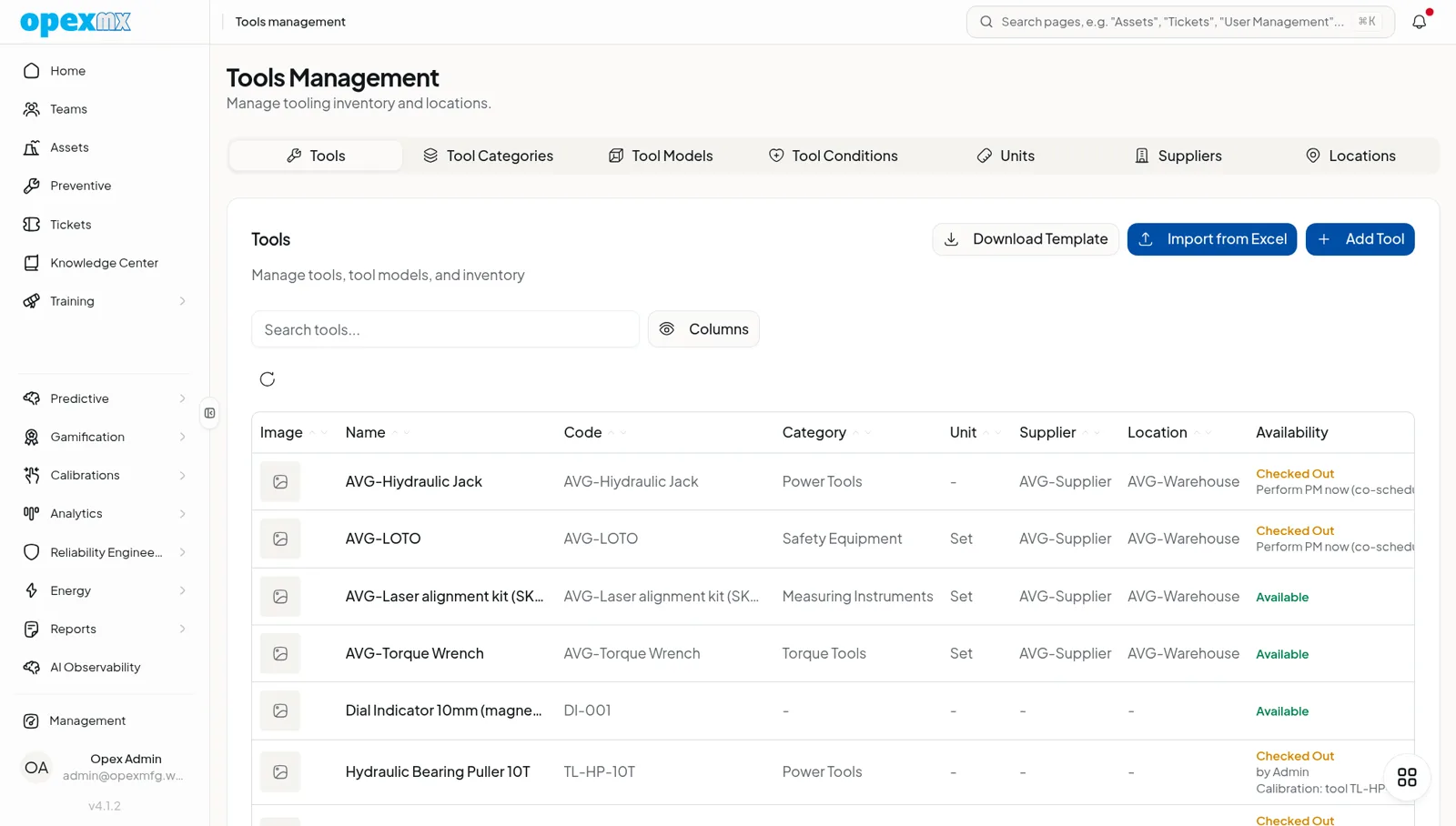
Tools Management
Find it: Management → Tools Management (Assets & Tools group).
Sound familiar?
- "Where's the torque wrench? Someone had it last."
- "Is this gauge still in calibration?"
- "We bought three of that tool because no one could find them."
Tools that aren't tracked get lost, expire, or duplicated.
The Problem
Shared tools live on pegboards and in heads. Check-out is a name on a clipboard. Calibration dates are stickers that fall off. When a critical tool is missing, you buy another instead of finding the one you have.
What OpexMX Tools Management Does
Tracks tool models and the physical instances, with a single transaction ledger for every movement — check-out, return, transfer, calibration, maintenance.
Two-Level: Models & Instances
- Tool models — the type, with specs, category, and whether it requires calibration (and on what interval).
- Tool instances — the physical item: code, condition, location, supplier, cost, min/max stock, and check-out status.
One Ledger for Everything
Every movement is a tool_transaction of type checkout, return, calibration, maintenance, or transfer — linkable to a ticket and a technician. Full history per tool, no clipboard.
Calibration Built In
Calibration-required tools show up in the calibration calendar and the "items needing calibration" queue, with per-tool history, supplier stats, and results/certificates.
Condition & Categories
Track condition and organize by category so the tool crib is searchable, not mysterious.
How It Works
- Define tool models (specs, calibration needs).
- Add instances (codes, location, condition).
- Check out against a ticket; return when done.
- Calibrate on schedule — logged as a transaction.
- Review the ledger when something goes missing.
Who Uses This?
| Role | What They Care About |
|---|---|
| Tool Crib / Storeroom | Who has what, and where it is |
| Quality | Tools in calibration, not expired |
| Technicians | Find the right tool fast |
| Finance | Stop buying duplicates |
Pro Tips
- Make check-out a one-tap action linked to the ticket — adoption beats policy.
- Flag calibration-required models so the queue stays accurate.
- Review the ledger for chronic "missing" tools — that's a process problem.
- Barcode/NFC tool codes for fast lookup.
Integrations
- Tickets: tools check out against work orders
- Calibrations: calibration-required tools feed the calibration queue
- Parts / Suppliers: shared supplier and category data