Digital Adoption
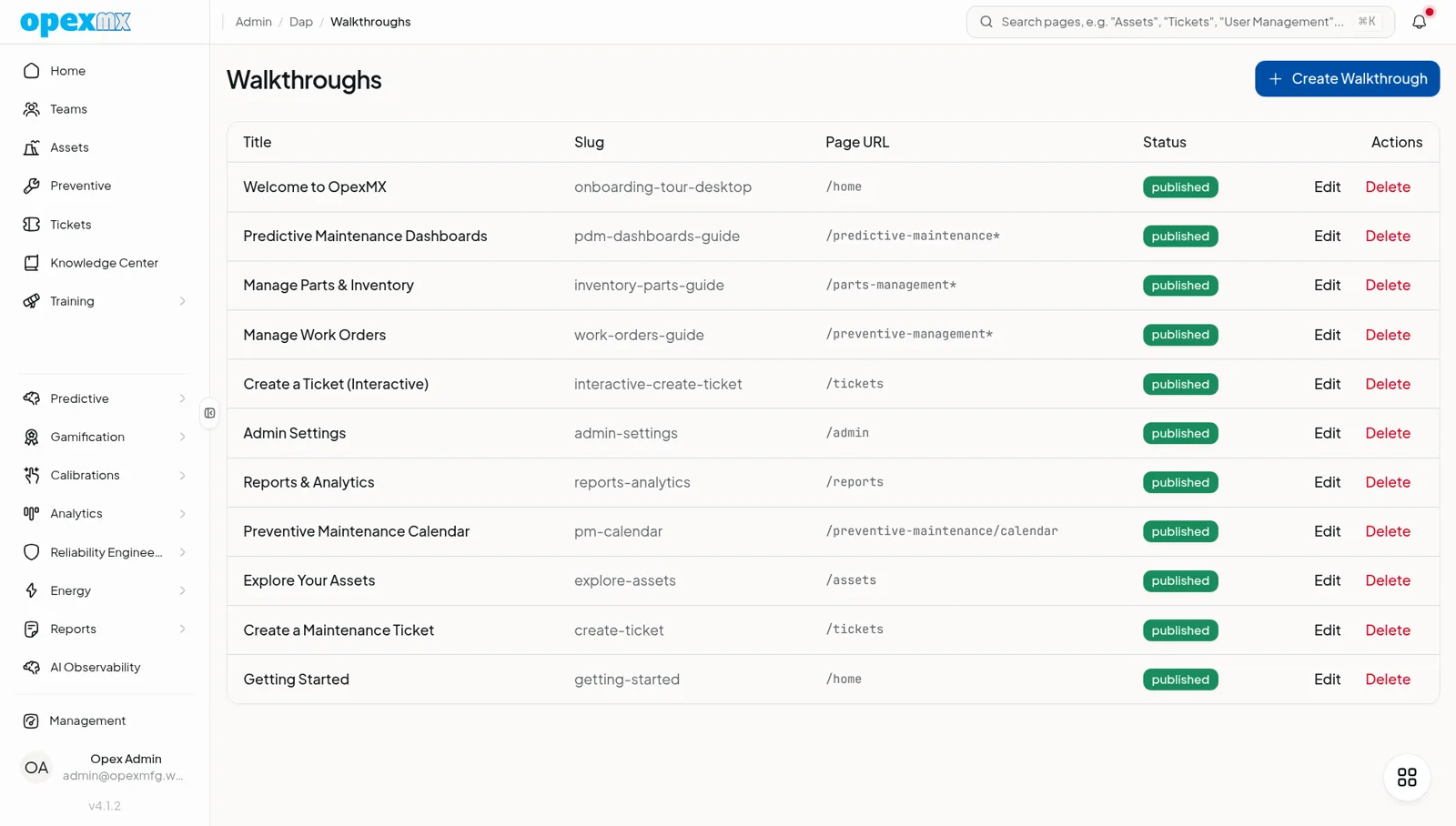
Find it: Management → Digital Adoption (Admin group) — Walkthroughs, Tooltips, Hotspots, Analytics.
Sound familiar?
- "We trained everyone, then the UI changed and the training was stale."
- "New hires take weeks to find their way around."
- "We don't know which features people actually use."
Training that lives outside the app rots the moment the app changes.
The Problem
Classroom training and PDFs decay. Each UI change outdates them. New users drown in features they can't find, and you can't see where they get stuck.
What OpexMX Digital Adoption Does
Puts the guidance inside the app — walkthroughs, tooltips, and hotspots — segmented by role and page, with analytics on completion and drop-off.
Walkthroughs
Multi-step tours with status (draft/published/archived), each step targeting a CSS/data-dap selector, with placement and an action (next, link). Segment them by role, page glob (e.g. /maintenance/tickets/*), maxShows, and firstVisitOnly.
Tooltips
Contextual help on hover or click, placed where you need it — for the moments a full tour is too much.
Hotspots
Persistent beacons (active/paused/expired, color, icon, schedule) that draw attention to a feature until it's discovered.
Seed Defaults
One click seeds 14 default walkthroughs — desktop and mobile onboarding, plus tours for tickets, assets, PM, reports, and admin. Idempotent and transactional.
Analytics
See started/completed/dropped counts, completion rate, and drop-off per walkthrough, plus tooltip and hotspot engagement — so you know what's working.
How It Works
- Seed the defaults (or author your own).
- Segment each tour by role and page.
- Publish; users encounter it in context.
- Watch completion and drop-off in analytics.
- Iterate on the steps where people stall.
Who Uses This?
| Role | What They Care About |
|---|---|
| Onboarding | Faster time-to-productivity |
| Product / Ops | Which features are discovered, which aren't |
| New hires | Guidance in context, not a stale deck |
| Change management | Re-train on UI changes without a meeting |
Pro Tips
- Seed the defaults, then customize for your workflows.
- Segment by role so technicians aren't shown admin tours.
- Watch drop-off points — that's where the tour (or the UI) is confusing.
- Use hotspots for powerful-but-hidden features.
Integrations
- Every page: tours target elements anywhere in the app
- Roles: segmentation uses the RBAC roles
- Analytics: adoption metrics complement usage reporting