Rollout
CMMS implementation, step by step
This is the real path from a trial request to a team working in OpexMX: what happens, what you configure, and where the OpexCG team helps. We do not quote a go-live date here, because it depends on how many sites and machines you bring in.
Our team reviews every request within 4 business hours. No credit card.
From trial request to a working workspace
- 1
Request a trial
You send a trial request. Our team reviews it within 4 business hours.
- 2
Your workspace is created
Each company gets its own workspace at your-company.mx.opexcg.com. Admins and users sign in there.
- 3
You set up the plant
Admins build the structure and the people in the workspace. The checklist below lists what is configured, and the OpexCG team helps with it.
- 4
Walkthroughs guide admins and technicians
In-app walkthroughs open on the page you are using, so admins and technicians are shown each task where they do it.
- 5
When the trial ends, the data stays
A trial that ends keeps the workspace readable in read-only mode. It is not deleted.
What the OpexCG team helps you configure
Guided onboarding from our team covers the items below. You decide the order and how much of each to do first.
Sites, areas and machines
The asset hierarchy: site, then area, then machine, with the parts and parameters you want to track.
Team, shifts and qualifications
Users, roles, teams, shift patterns and rosters, and the qualifications each technician holds.
PM schedules and checklist templates
Preventive maintenance schedules per asset, and the checklist templates technicians fill in on a job.
WhatsApp channel
Work order notifications through the official WhatsApp Cloud API. Messages outside the 24 hour window need an approved message template, which we help you set up.
Android Field app
Technicians install OpexMX Field from a signed APK at /download. It is Android only for now, with no App Store or Play Store listing.
- Go to the Android download
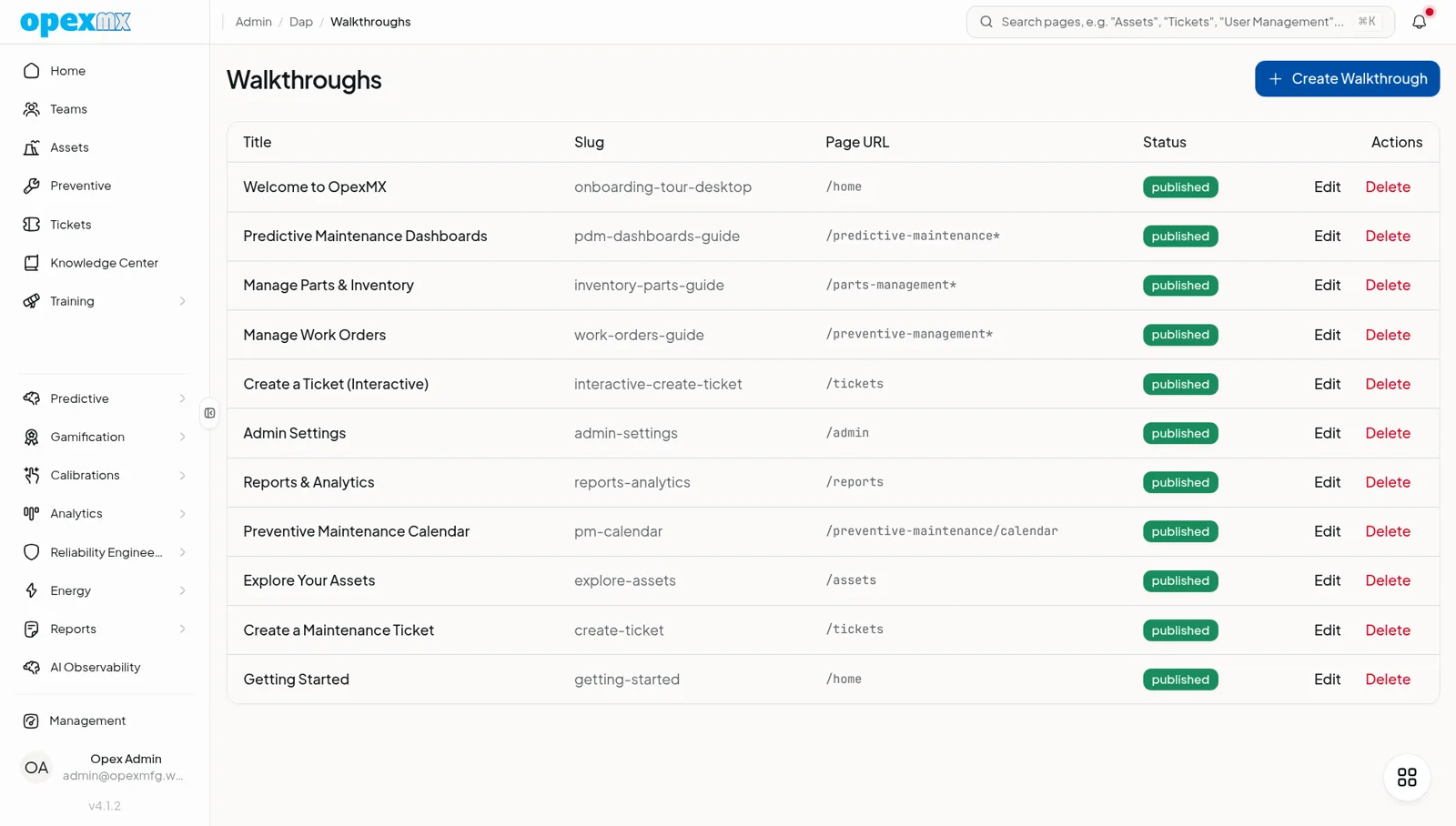
Walkthroughs live inside the app
OpexMX ships with in-app walkthroughs for getting started, work orders, preventive maintenance, assets, parts and reports. Admins can edit them or add their own, so your own procedures can be taught on the screen where they happen.
On-premise rollout
If your plant must keep data on its own servers, OpexMX also runs on-premise on Bun and PostgreSQL. A pg_dump based backup and restore command ships with it, and the deployment docs exist. Ask our team which setup fits your IT policy.
Connecting your ERP
OpexMX has sync engines for Epicor Kinetic (work orders, assets, parts and purchase orders) and for SAP ECC6 and S/4. ERP sync runs on a 15 minute schedule. For your own systems there is a documented REST API and MCP server.
The exact mapping for your ERP is agreed with our team during setup.
Implementation questions
How do I start a CMMS implementation with OpexMX?
- Request a free trial. Our team reviews the request within 4 business hours, then your workspace is created at your-company.mx.opexcg.com.
What happens to our data when the trial ends?
- The workspace stays readable in read-only mode. It is not deleted.
Do technicians need to install an app?
- They can use OpexMX Field on Android, installed from the signed APK at /download. There is no iOS app, and the app is not listed on the App Store or Google Play yet.
Can OpexMX be installed on our own servers?
- Yes. OpexMX supports on-premise deployment on Bun and PostgreSQL, and the on-premise docs describe the setup, including backup and restore with pg_dump.
Does OpexMX connect to Epicor or SAP?
- Yes. There are sync engines for Epicor Kinetic and for SAP ECC6 and S/4, and ERP sync runs every 15 minutes. Our team confirms the exact field mapping with you.
Is WhatsApp set up for us?
- OpexMX uses the official WhatsApp Cloud API. Our team helps you set up the channel. Messages sent outside the 24 hour window need an approved message template.
Start with a trial workspace
Request a trial, then bring one site and a handful of machines to see how the setup feels before you decide on more.