For multi-site plants and IT teams
Enterprise CMMS for plants that run on more than one site
OpexMX keeps work orders, assets and people for every site in one system. Your IT team decides who sees what, where it runs, and how it connects to your ERP.
Our team reviews every request within 4 business hours. No credit card.
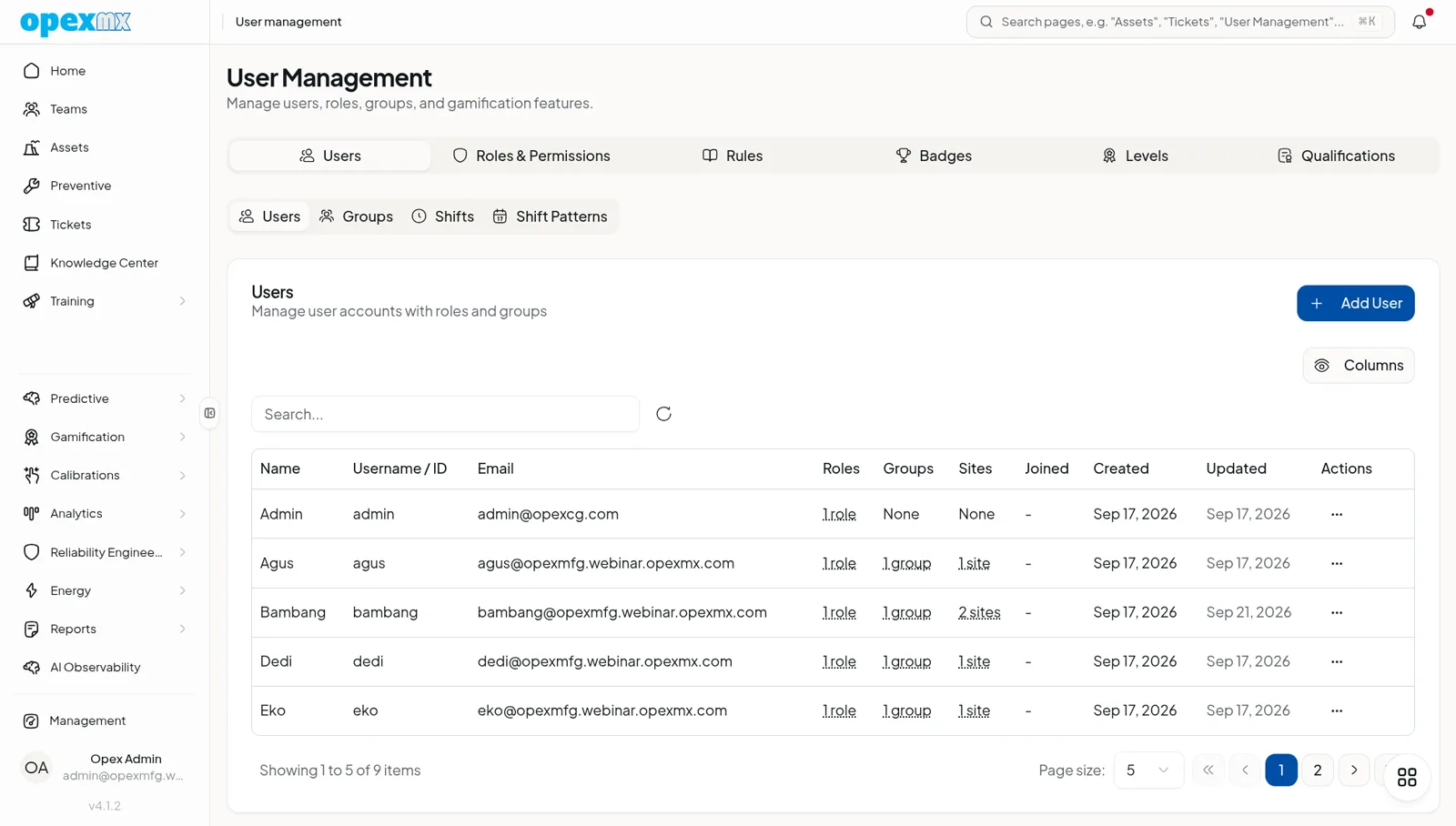
Sites and access
One system, every site, access set per domain
Each plant is a location in OpexMX, and each user is assigned to the sites they work on. Permissions are set per domain, so a planner, a technician and an auditor see different things.
- Multi-site
- Locations and per-user site assignment keep each plant's work orders, assets and people separate while the organization stays in one tenant.
- Role-based access
- Roles carry permissions per domain, for example tickets, assets or parts. Users can also be grouped.
- Teams
- Teams are arranged in a hierarchy and can be viewed as a board.
Approvals
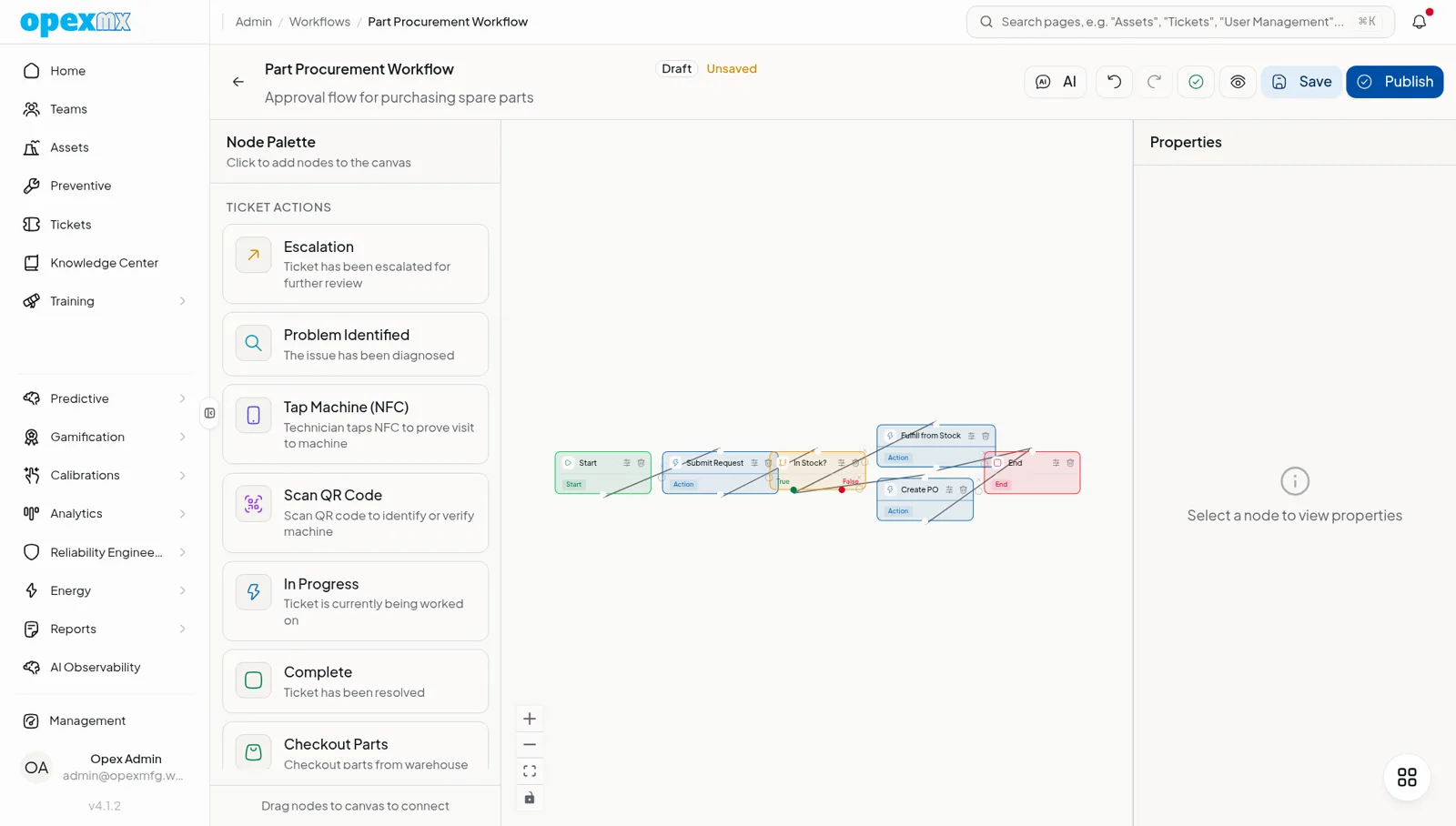
Your approval steps, built into the workflow
Each tenant has a workflow engine with approval nodes. Model who must approve before a step moves on, instead of relying on a message in a chat group.
Hosting
Cloud tenant or your own servers
Pick the hosting model your IT policy allows. Both run the same product.
Cloud
Each company gets its own workspace at company.mx.opexcg.com, running on Cloudflare Workers.
On-premise
Run OpexMX on your own infrastructure. The stack is Bun and PostgreSQL, and a pg_dump based command line tool handles backup and restore.
ERP and API
Connect to the systems your plant already runs
Sync engines for Epicor Kinetic and SAP, plus a documented API for everything else.
- Epicor Kinetic
- OData v4 sync engine for work orders, assets, parts and purchase orders.
- SAP ECC6 and S/4
- A dedicated SAP sync engine covers both ECC6 and S/4 systems.
- Scheduled sync
- ERP sync runs on a 15 minute schedule.
- REST API
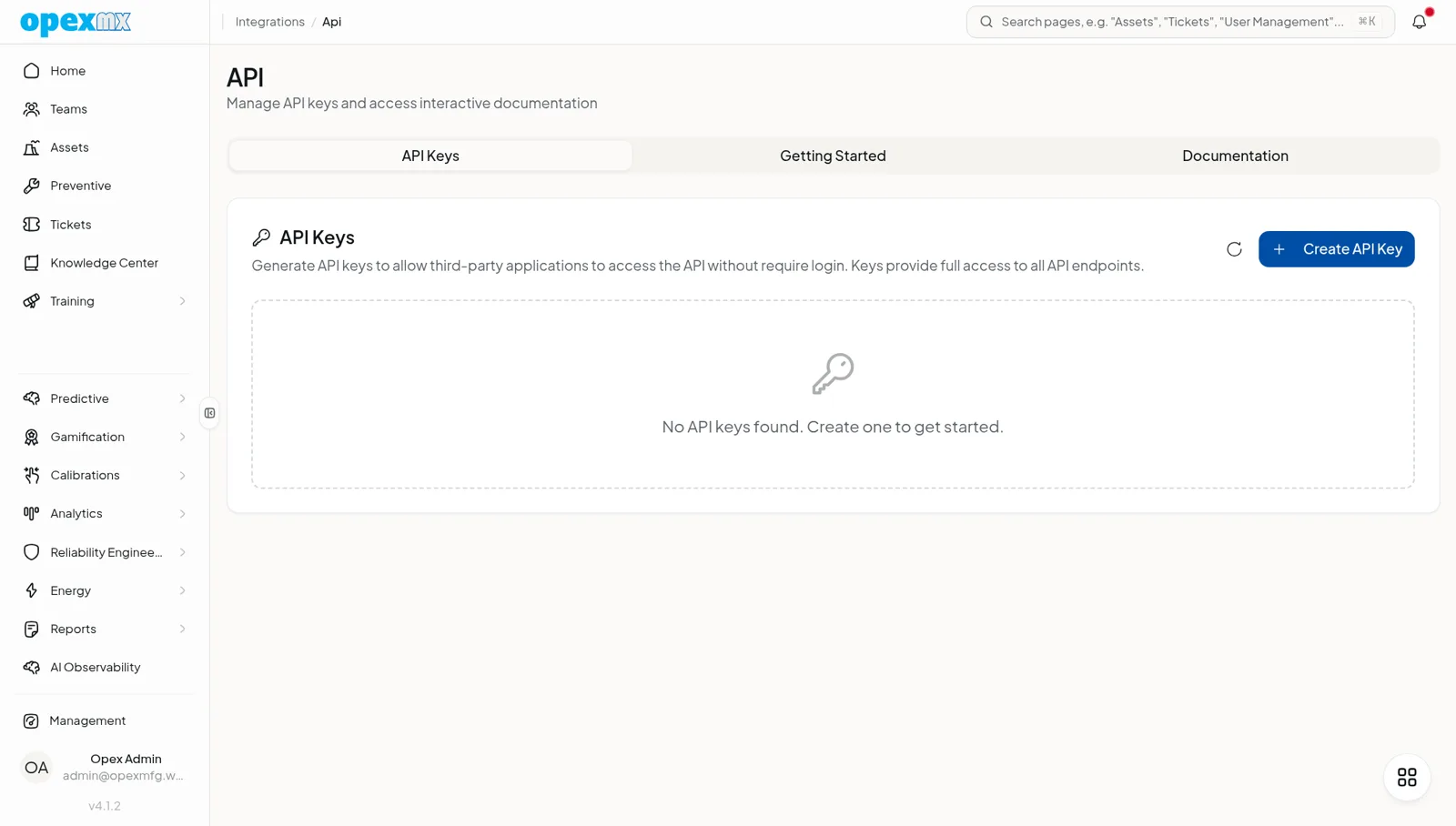
- OpenAPI documentation lives at /docs/api. API keys can carry an expiry date, and each key has its own rate limit, 600 requests per minute by default.
- Webhooks
- Inbound and outbound webhooks connect OpexMX to other tools.
- MCP server
- 69 tools for AI clients, authenticated with the same API keys and covered by the same rate limit. Details at /docs/mcp.
Controls
What your IT and quality teams can verify today
- Audit log
- A compliance readiness module lists and exports an audit log. Coverage is partial today: not every part of the product writes to it yet. Use it as a readiness aid, not as a complete audit trail.
- Notifications go through the official WhatsApp Cloud API. Incoming webhooks are checked with an HMAC-SHA256 signature, and unsigned requests are rejected.
- Seven languages
- The interface is available in English, Bahasa Indonesia, Malay, Chinese, Vietnamese, Thai and Spanish. Translation coverage differs between modules.
Not yet
What we do not offer today
Procurement will ask. These are the honest answers.
- Not available
SSO and SAML
Sign-in today uses email and password, username, or a magic link. Single sign-on is not available.
- Planned
SOC 2 and ISO 27001 readiness
OpexMX does not hold a SOC 2 or ISO certification. Readiness work is planned for v6 (Q1 2027).
- Planned
Indonesian data region
A region option in Indonesia is planned for v6.
Tell us about your sites
Share how many plants you run, which ERP you use and where you need it hosted. We will show you what fits and what does not.