CMMS for plant maintenance teams
AI Maintenance eXecution for Operational Excellence
Spot bearing faults early, forecast remaining life, and get the lowest-cost next action, down to the vendor that ships in time. Technicians always know what to do, with checklists and a set fix for every known problem.
Our team reviews every request within 4 business hours. No credit card.
Follow one work order through OpexMX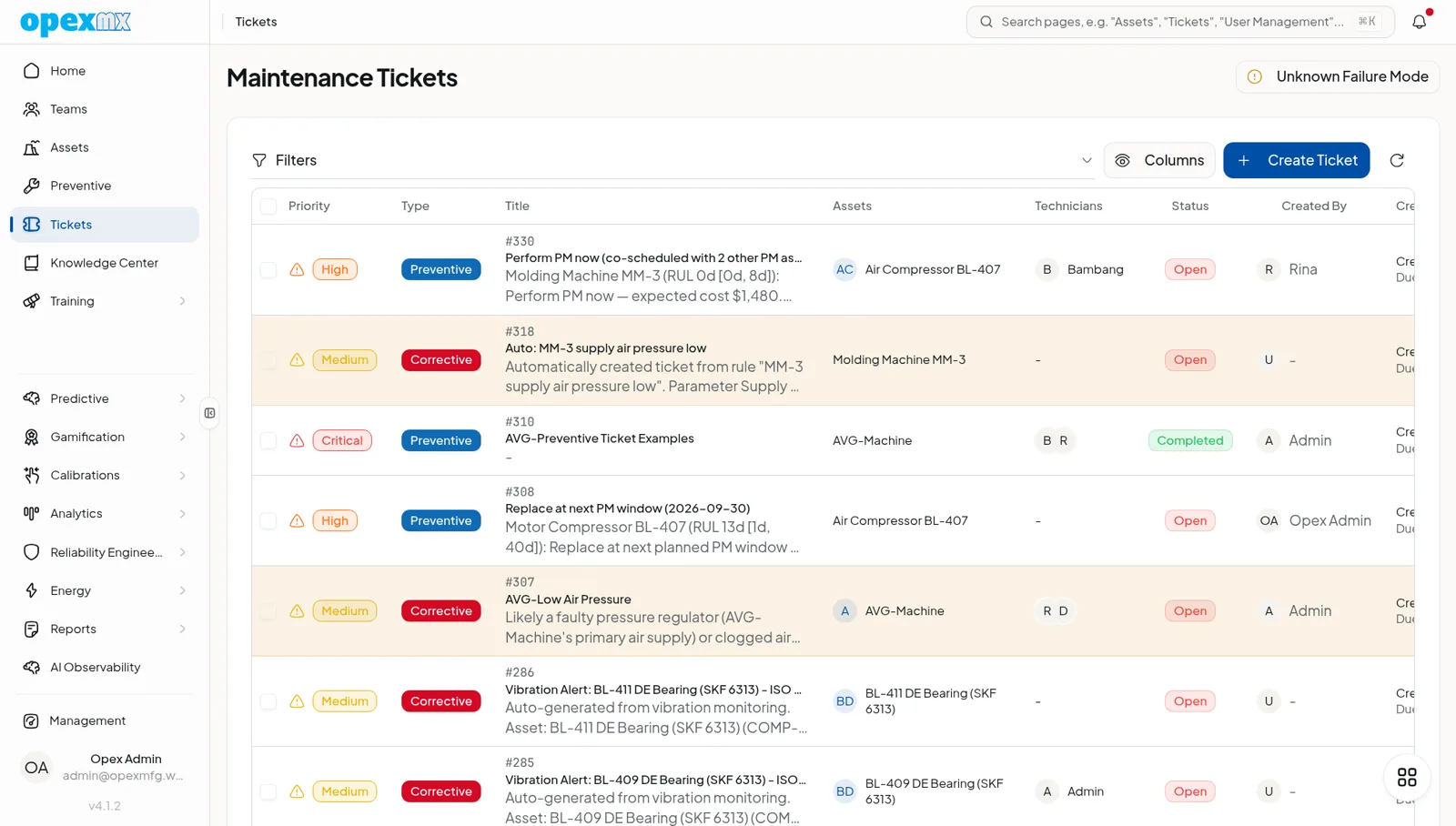
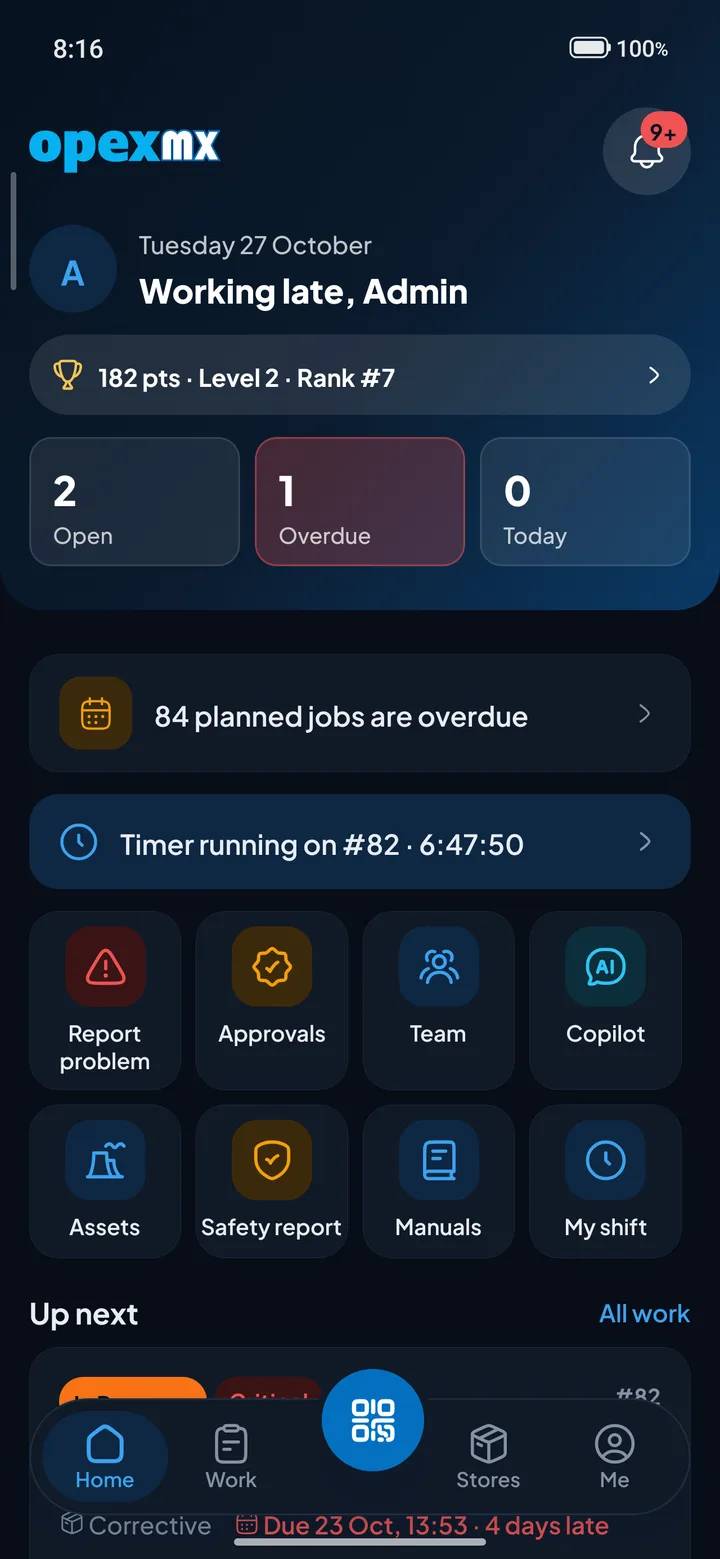
From the first message to a closed work order
Every stage below is a real screen from the OpexMX demo workspace. Pick a stage to see it.
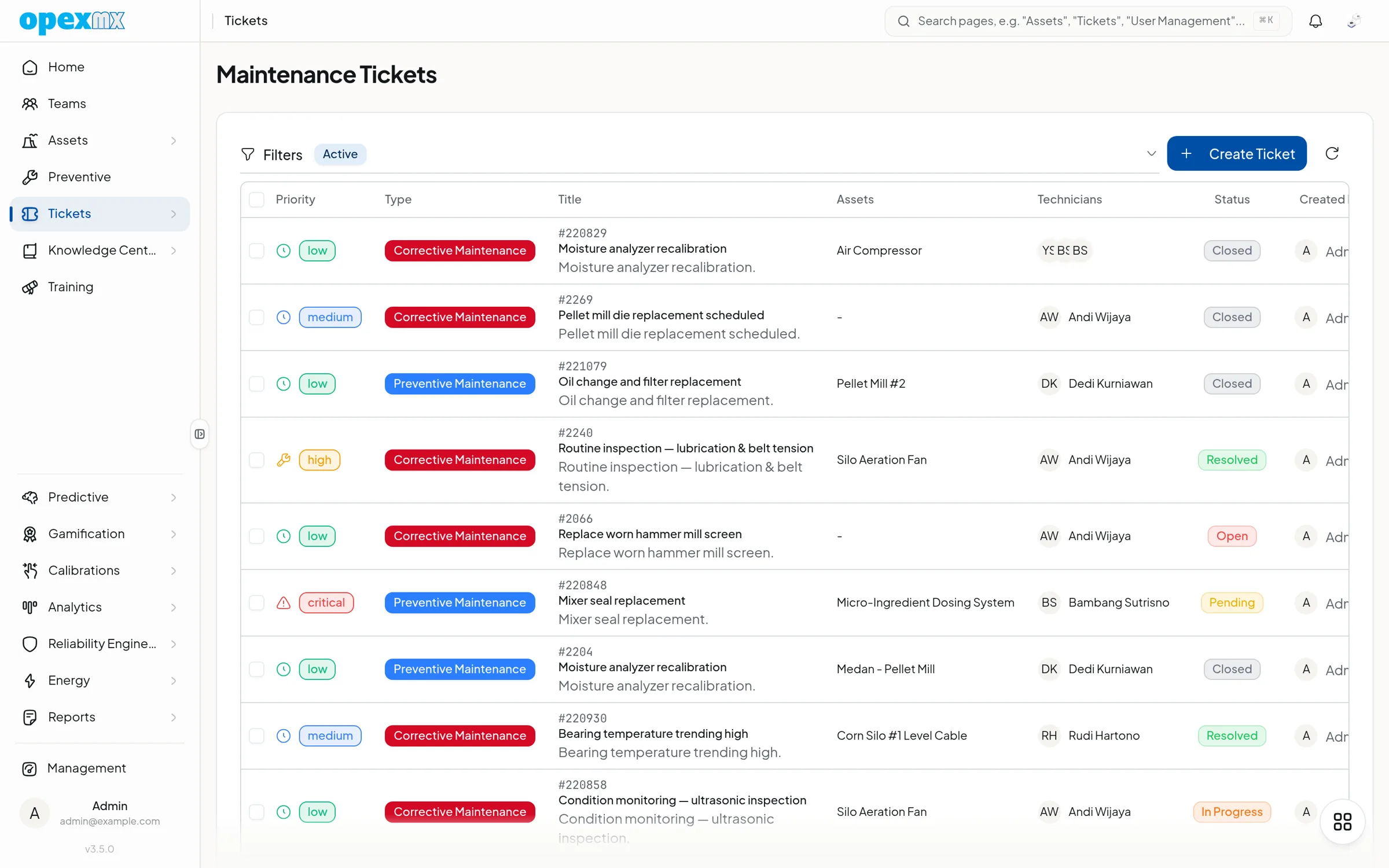
Operators raise a request on the web, in the Field app, or in a WhatsApp group run by the OpexMX bot. Voice notes are transcribed and photos stay attached to the request.
WhatsApp runs on Meta's official Cloud API. It is in beta, with general availability planned for Q1 2027.
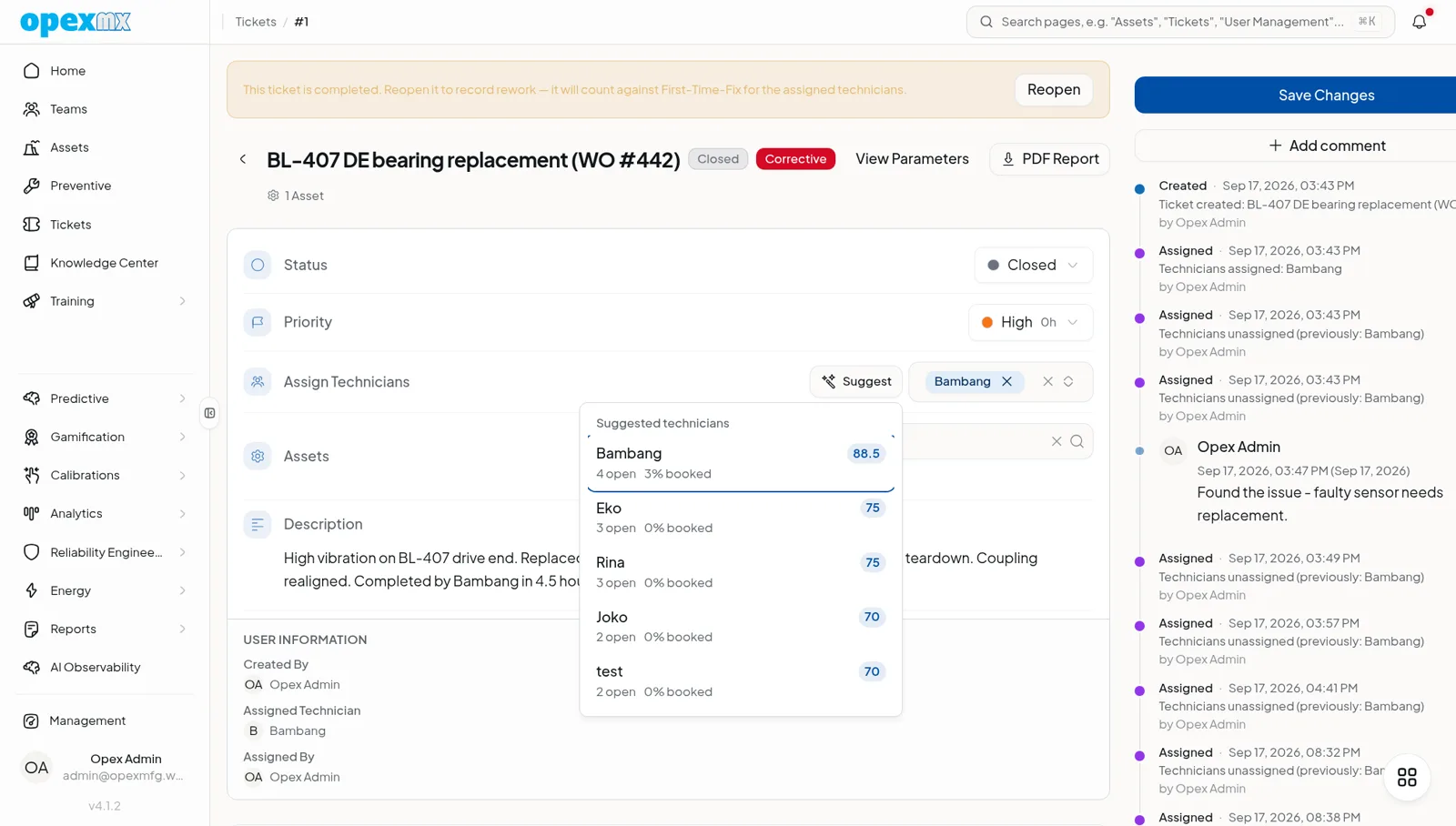
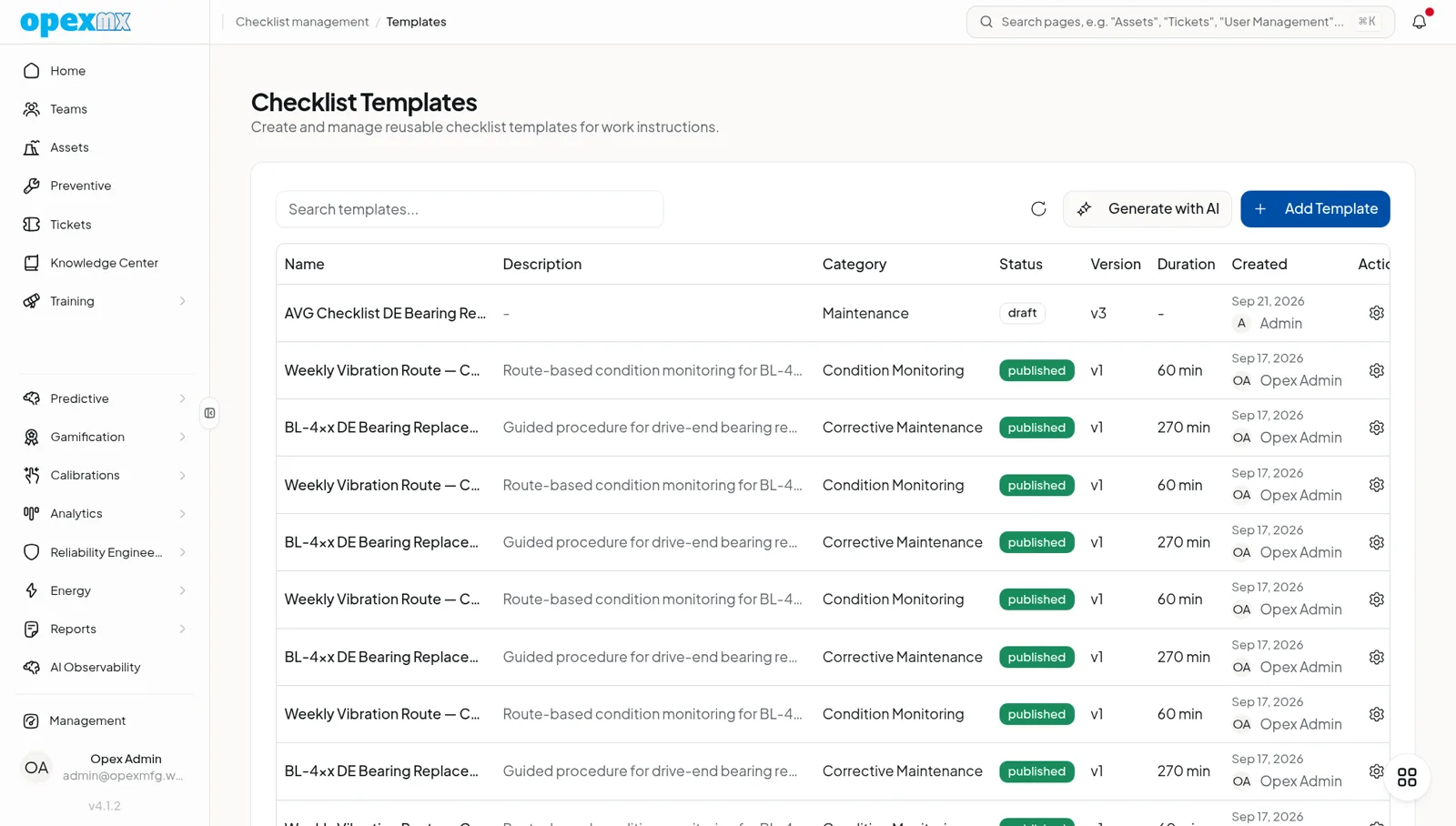
The workload planner suggests technicians who hold the right qualification, are on shift and still have capacity. A supervisor can accept the suggestion or drag the job to someone else.
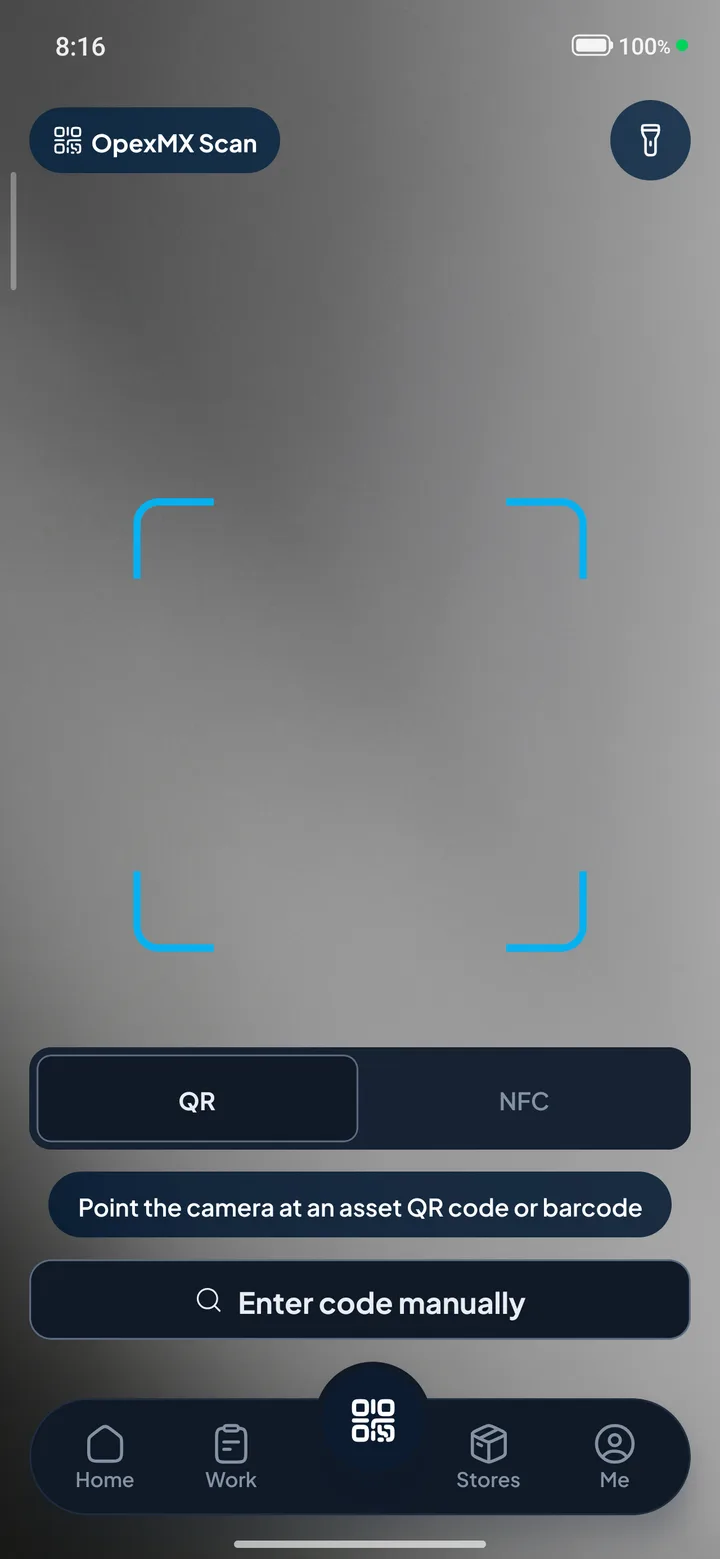
On the Android Field app the technician scans the asset's NFC tag or QR code, works through the checklist step by step, adds photos, and OpexMX records the time on the job by itself.
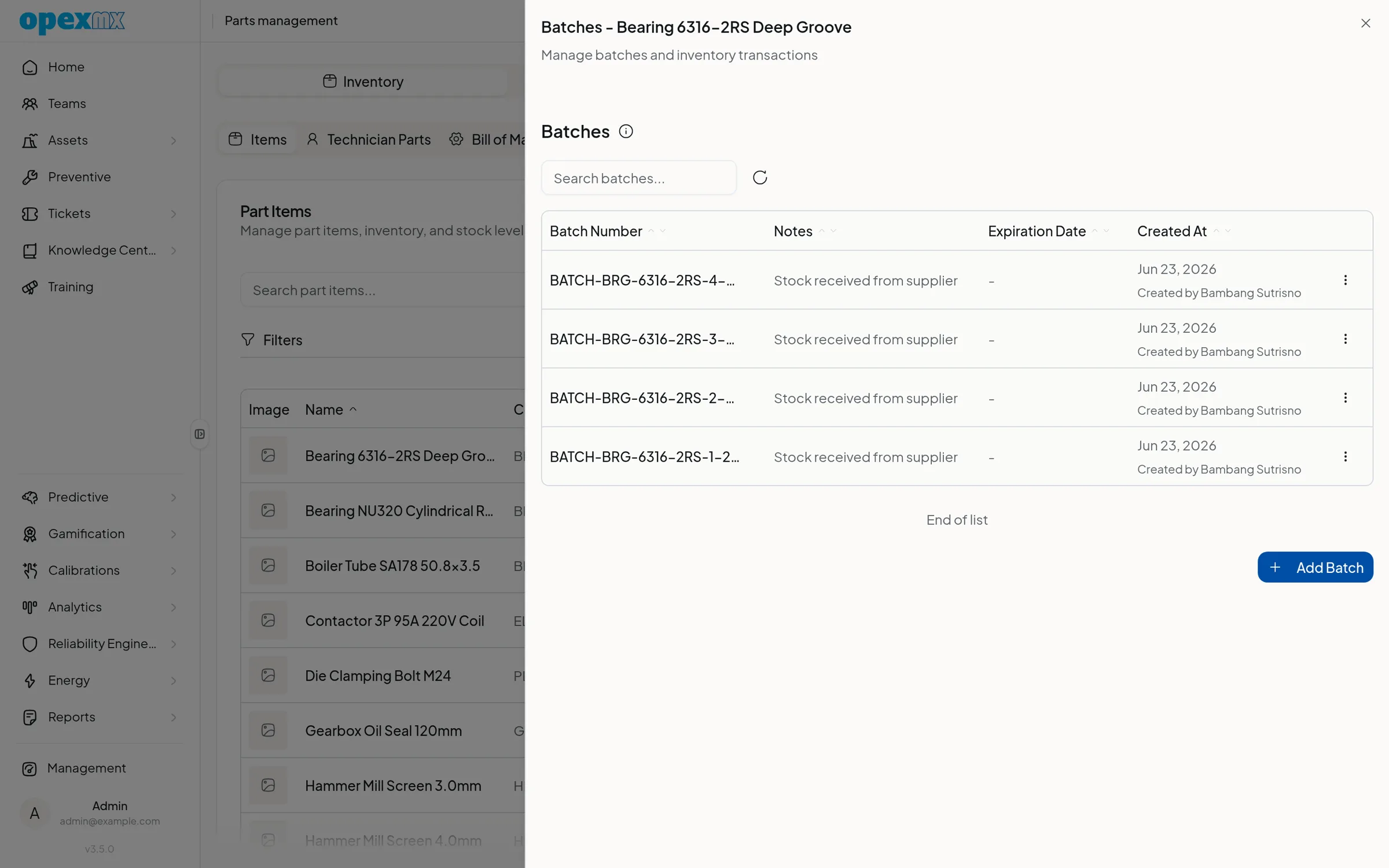
Parts used on the job are booked against a batch and a warehouse, so stock on the screen matches stock on the shelf. Purchase requests go through approval inside OpexMX.
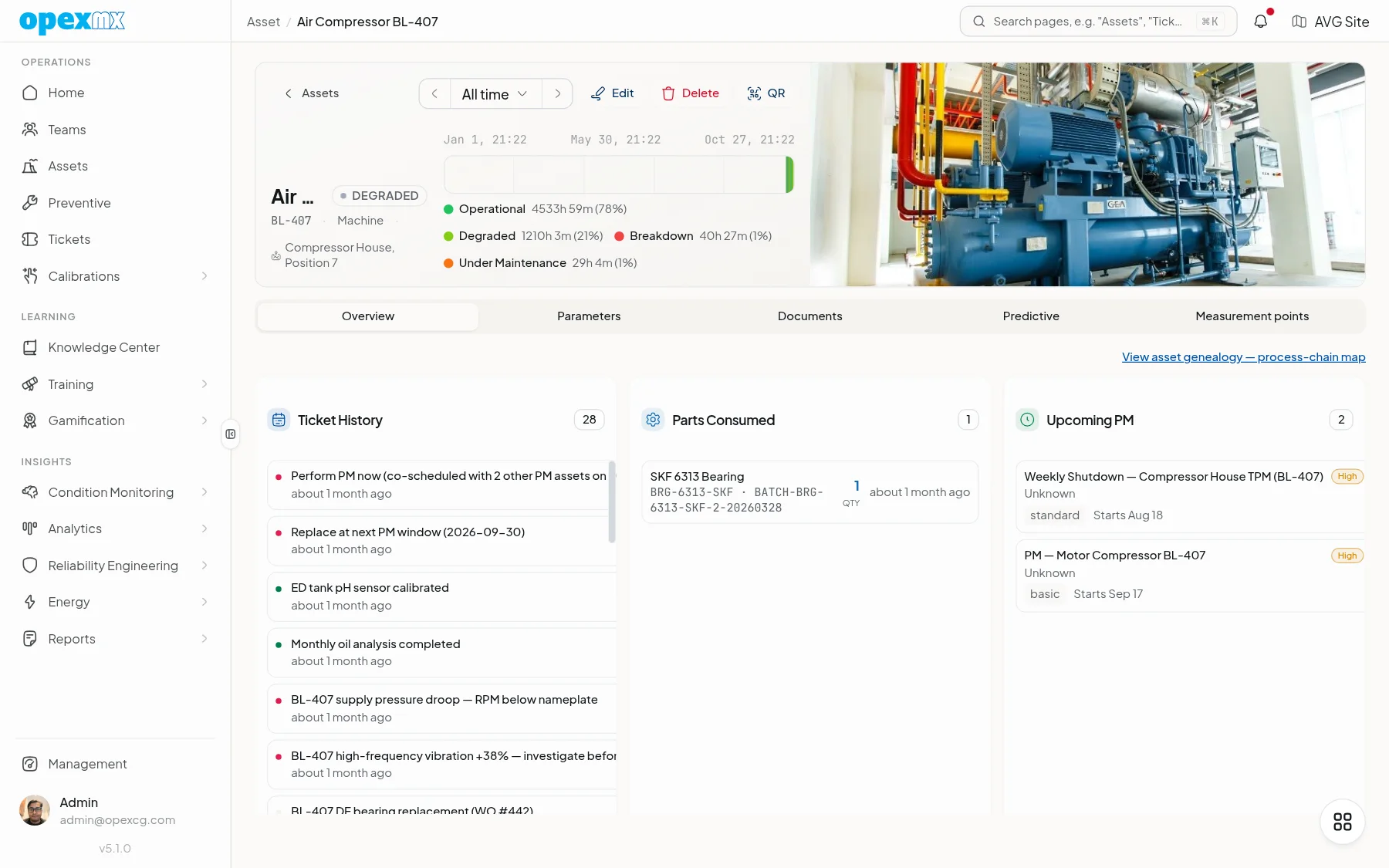
Closing the work order stores the time, parts and checklist answers on the asset. MTBF, MTTR and downtime reports are built from that history instead of a spreadsheet someone updates on Friday.
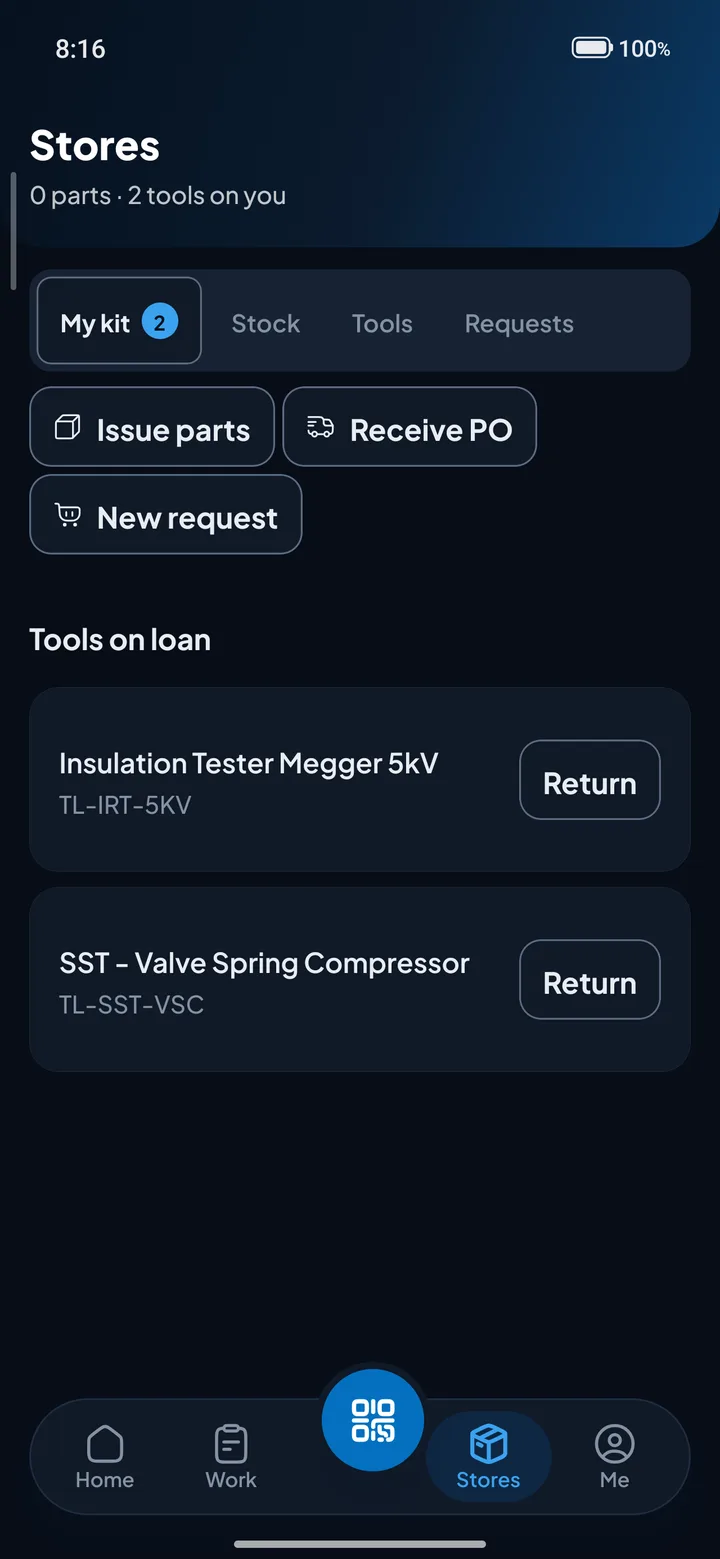
Built for the person holding the wrench
OpexMX Field is the Android app technicians carry on the floor. It opens on today's jobs and keeps the checklist, the manual and the machine's history one tap away.
- Scan the NFC tag or QR code on a machine to open its record.
- Lists you have opened stay readable without signal.
- Checklist answers queue offline and sync when the phone reconnects.
- Time on the job is recorded automatically.
Other actions need a connection today. Closing a work order fully offline is planned for Q1 2027. Android today, as a signed download. Google Play and iOS listings are planned for Q1 2027. Anyone can also use OpexMX in a mobile browser.
Download the Android appThe rest of the maintenance department, in the same system
Work orders are the centre. These are the records around them, all linked to the same assets and people.
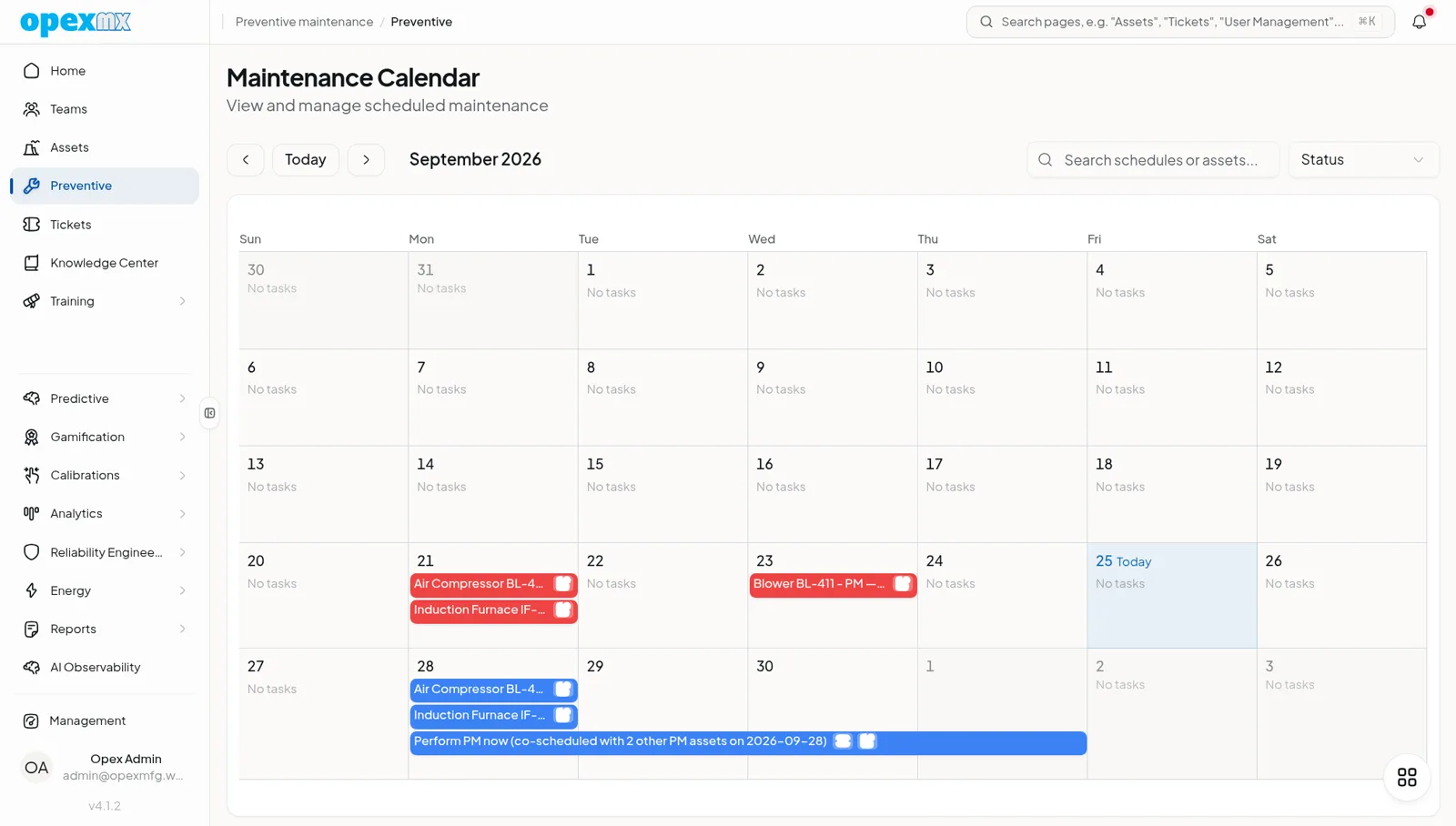
Preventive maintenance
PM schedules create work orders on time, each one carrying its checklist template, so routine work stops depending on who remembers it.
- Asset register
- Sites, areas and machines in one hierarchy, with BOM, documents, warranties, calibration records and floor plans.
- Spare parts and purchasing
- Batches, stock per warehouse, suppliers, purchase requests with approval, and purchase orders.
- People, shifts and skills
- Shifts, rosters and handovers, plus qualifications, training and certificates for every technician.
- Reports and dashboards
- MTBF, MTTR and downtime KPIs, a dashboard gallery, scheduled reports and a report builder that prints to PDF.
- Reliability engineering
- RCA, FMEA worksheets, fault trees, Weibull analysis and RCM, working on the same asset data.
- Approvals
- A workflow engine per workspace, with approval steps you configure for your own process.
- Seven languages
- The OpexMX interface ships in English, Bahasa Indonesia, Malay, Chinese, Vietnamese, Thai and Spanish.
Condition monitoring
Vibration alerts your team will not learn to ignore
OpexMX reads vibration spectra, classifies each machine against ISO 20816-3 zones and checks the bearing fault frequencies. When an alert is real, it opens a work order with the evidence attached.
- ISO 20816-3 zones per machine class
- Bearing fault frequencies: BPFO, BPFI, BSF and FTF
- Unbalance and misalignment stay "observed, not alarmed" until they reach zone C or D, or twice the machine's healthy baseline
- Backtests only use data that existed at the time, so results are not flattered by hindsight
How well alerts predict failures depends on your machines and your data. We measure it in a pilot on your own assets before we promise anything.
Ask about a vibration pilot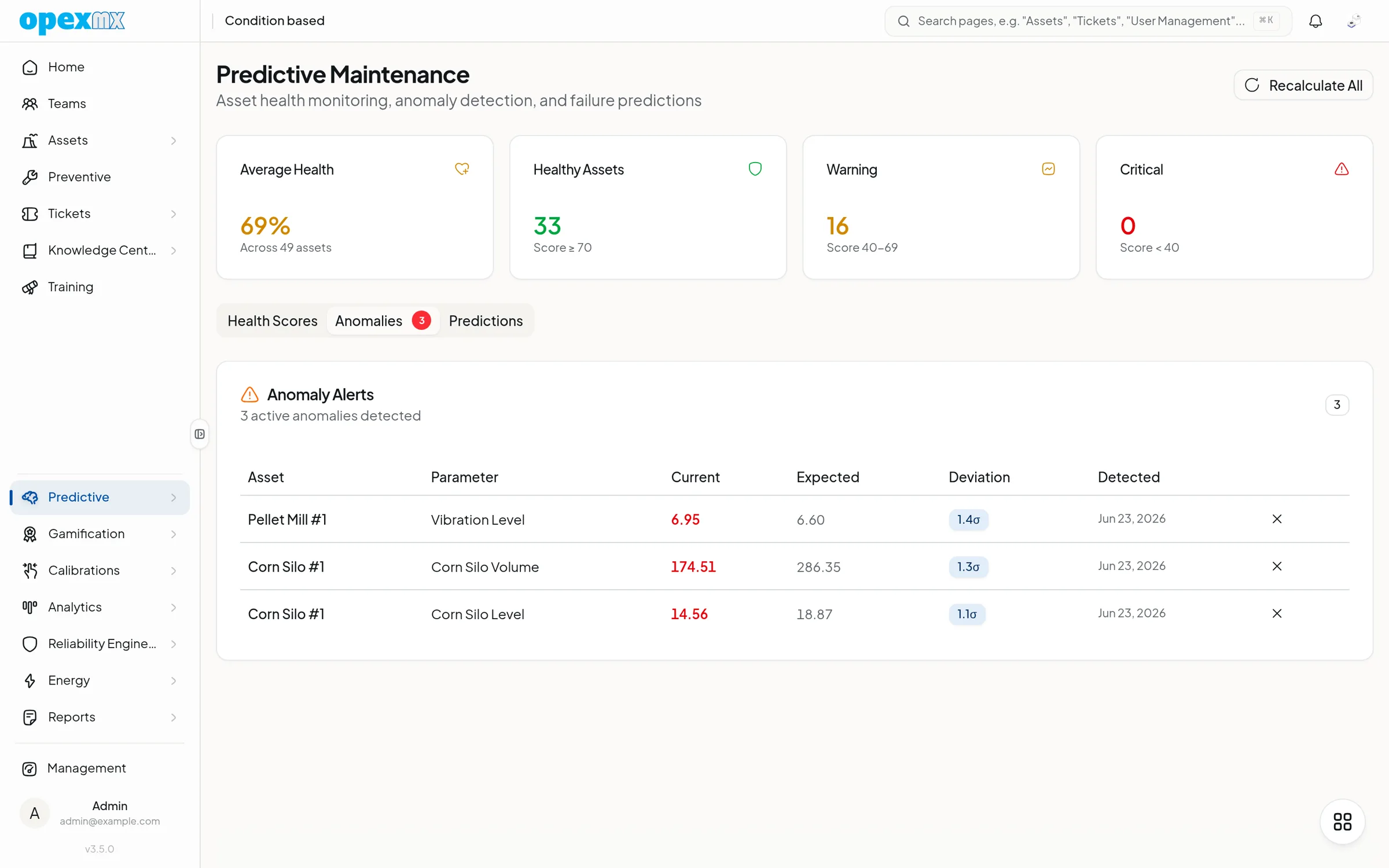
Unbalance and misalignment alarm from here, or at 2x the healthy baseline
- Zone A
- Typical of newly commissioned machines
- Zone B
- Acceptable for unrestricted long-term operation
- Zone C
- Not suitable for long-term continuous operation
- Zone D
- Severe enough to cause damage
Connects to the systems you already run
Epicor Kinetic and SAP
Sync engines for Epicor Kinetic (work orders, assets, parts, purchase orders) and SAP ECC 6 or S/4HANA, on a 15-minute schedule.
REST API
Documented with OpenAPI. Keys can expire, and each key has its own rate limit.
Read the API docsAI agents over MCP
69 tools for Claude, Cursor or your own agent, using the same keys and limits as the API.
Read the MCP docsWhatsApp Cloud API
Meta's official API, with signed webhooks that reject anything unsigned.
Your own servers
Run OpexMX on-premise on PostgreSQL when maintenance data has to stay inside the plant.
Enterprise and on-premise
What happens after you request a trial
- 01
You send a short form
Name, work email and company. Requests from free email addresses are reviewed by hand.
- 02
We review it within 4 business hours
Your workspace is created at your-company.mx.opexcg.com and the login arrives by email.
- 03
Your team starts on real jobs
In-app walkthroughs show admins and technicians around, and our team is on WhatsApp when you get stuck.
- 04
If you stop, your data stays
When a trial ends without a subscription, the workspace turns read-only instead of being deleted.
Every release is published, with a date
OpexMX ships often, and the release notes are public. These are the latest.
- v5.0.0Shipped
- A separate Android app for technicians, supervisors, operators and storekeepers: Home shows what needs you, Work holds your tickets and planned PM with a labor timer, plus Stores, Scan, Learn and Me. Download the APK from mx.opexcg.com/download.
- Open an asset by scanning its QR code or NFC tag, or by typing its exact asset code.
- v4.4.0Shipped
- Copilot chat rework and labor time window
- Technician fatigue readiness from Health Connect and BLE strap
- v4.3.0Shipped
- Dedicated PCA anomaly detection page + dashboard tab deep links
- Smart prefill for ISO 14224 failure coding card
- v4.2.0Shipped
- Bottom scroll room so tab bar can sit mid-screen
- Funnel stages + AI-context audit as tabs instead of long scroll
Questions maintenance managers ask us
Put your next breakdown in a work order
Request a trial and run real jobs through OpexMX with your own team, or ask us anything on WhatsApp first.
Our team reviews every request within 4 business hours. No credit card.